Transform Photos into Vintage Comics: A Comprehensive Tutorial
Transform photos into American retro comic-style line art with this workflow! Learn how to use DepthAnything V2, Flux model, and LoRAs to create stunning artwork. Dive in and discover the power of AI art generation!
- Key Nodes
- Upscaler
- VRAM
- Medium VRAM (12–16GB)
- Reading Time
- 3 min
Workflow Overview
Transform photos into American retro comic-style line art with this workflow! Learn how to use DepthAnything V2, Flux model, and LoRAs to create stunning artwork. Dive in and discover the power of AI art generation!
Content type: Workflow
Primary intent: Download
Required Models
- Flux
- Lora
Required Nodes
- Upscaler
Setup Notes
- Install the required models before opening the workflow template.
- Recommended hardware: Medium VRAM (12–16GB).
1. Workflow Overview
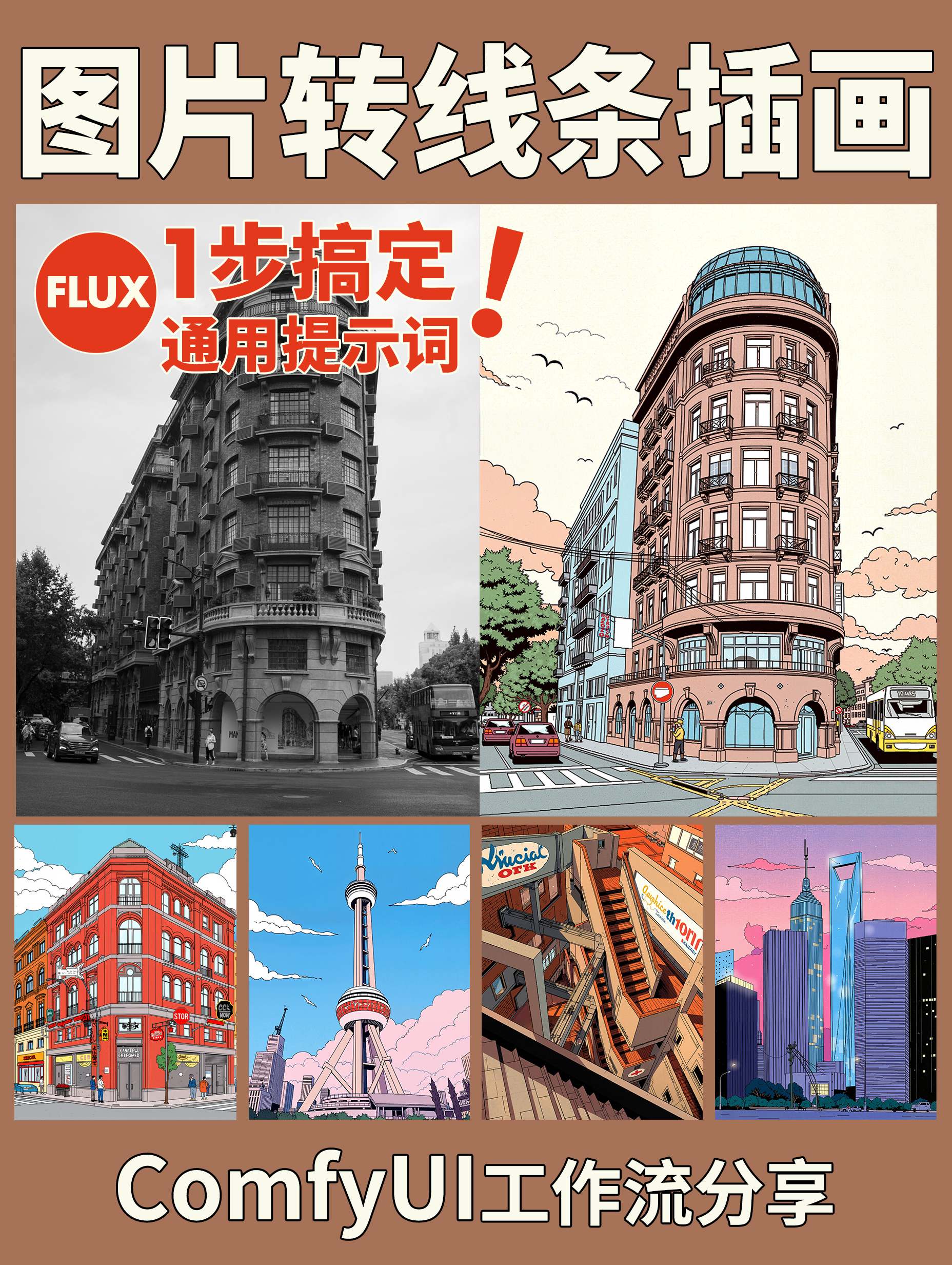
This workflow converts realistic photos into American retro comic-style line art through:
Depth extraction via DepthAnything V2
Style transfer using Flux model with LoRAs
Tiled processing + upscaling for high-quality output
Core Models:
DepthAnything_V2: Extracts image depth structureFlux Dev Model: Base generator (withAmerican Colorful Illustration_F.1andRetro Comic_F.1LoRAs)4x-UltraSharp: Upscaling model
2. Key Nodes
Required Custom Nodes:
Impact Pack (Install via ComfyUI Manager):
Provides
ImpactImageBatchToImageListetc.
DepthAnything (Manual install):
Download model
depth_anything_v2_vitl_fp32.safetensors
FLUX Nodes:
FluxGuidance: Controls conditioning strengthFlux Dev Model: Requires separate download
Dependencies:
Place LoRAs in
models/loras/:American Colorful Illustration_F.1(weight 0.25)Retro Comic_F.1(weight 0.5)
3. Workflow Structure
Group Logic:
Input Preprocessing:
Nodes:
LoadImage→ImageResizeKJ→DepthAnything_V2Input: Any image (e.g.,
city-6809824_1920.jpg)Output: 1024x1024 depth map
Conditioning:
Nodes:
CLIPTextEncode+ConditioningMultiCombineKey Prompt:
American retro comic art, line contours, anime, no text, no characters
Tiled Generation:
Nodes:
TTP_Image_Tile_Batch→KSampler→VAEDecodeTiledParameters: Tile size 1024x1024, overlap 64px
Post-Processing:
Nodes:
ImageUpscaleWithModel→LayerColor: Brightness & ContrastAction: 4x upscale + contrast adjustment
4. Input & Output
Inputs:
Required: Source image (via
LoadImage)Optional:
Seed value (random if empty)
Style strength (adjust LoRA weights)
Output:
Format: PNG
Resolution: 7680x7680 (example)
5. Notes
Hardware:
Recommended ≥12GB VRAM (tiling still demands high memory)
Troubleshooting:
DepthAnything model missing: Manually download to
models/depth_anything/LoRA load failures: Check filename special characters
Optimization:
Reduce
KSamplersteps (default 20 → 15)Use
easy cleanGpuUsedto free VRAM