Unlock Professional-Grade Portrait Editing with AI-Powered Workflow
Automate portrait photo beautification with AI: Enhance skin, remove acne, refine hair & blur backgrounds with majicMIX, Ultralytics & SAM models. Learn how to set up this workflow in ComfyUI for stunning results.
- Use Case
- Portrait
- Best For
- Portrait
- Key Nodes
- FaceDetailer
- VRAM
- Low VRAM (≤8GB)
- Reading Time
- 3 min
Workflow Overview
Automate portrait photo beautification with AI: Enhance skin, remove acne, refine hair & blur backgrounds with majicMIX, Ultralytics & SAM models. Learn how to set up this workflow in ComfyUI for stunning results.
Content type: Workflow
Primary intent: Download
Required Nodes
- FaceDetailer
Setup Notes
- Install the required models before opening the workflow template.
- Recommended hardware: Low VRAM (≤8GB).
1. Workflow Overview
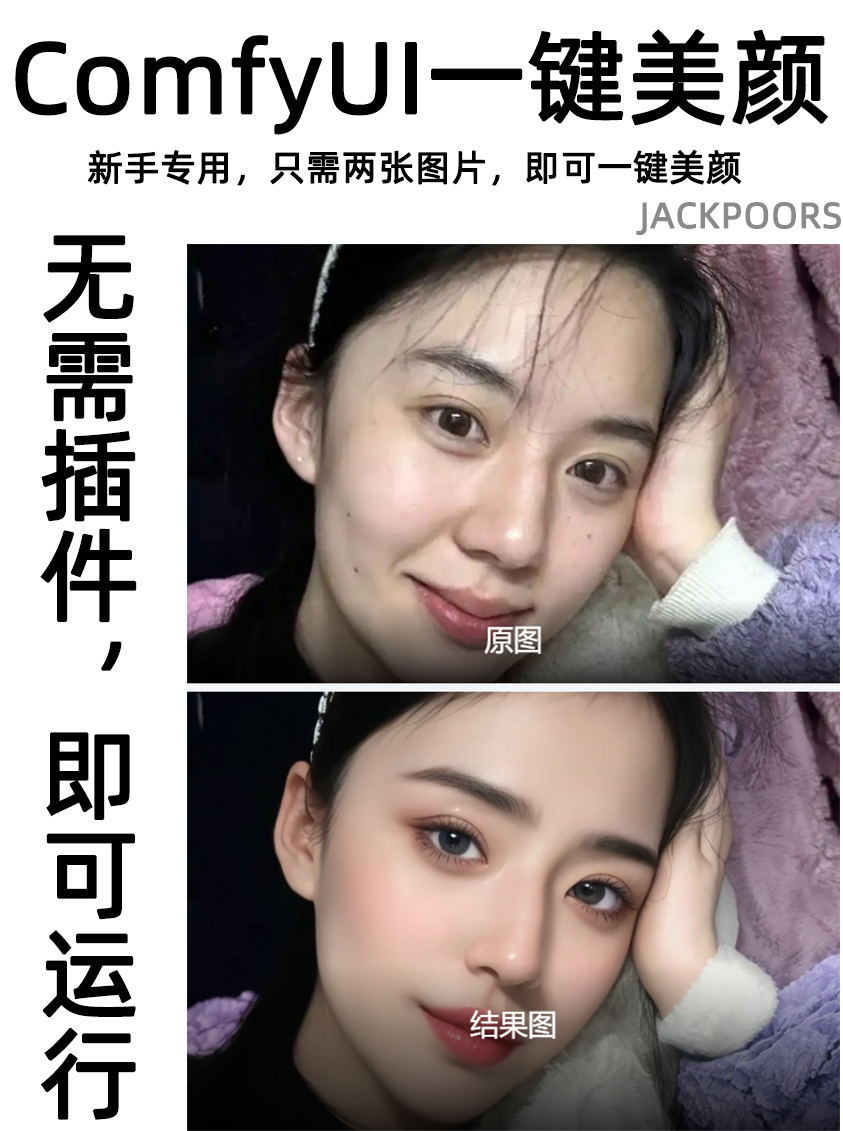
This workflow is designed to automatically beautify portrait photos through AI models, featuring functions like skin smoothing, acne removal, hair refinement, and background blurring. It primarily uses the majicMIX realistic model for realistic-style enhancements, with Ultralytics detectors and SAM models for facial region localization and detailing.
2. Core Models
majicMIX realistic v2: Main model for photorealistic portraits (download to
ComfyUI/models/checkpoints).YOLOv8m-seg: Ultralytics segmentation model for face detection (requires
comfyui-detectionplugin).SAM (Segment Anything Model): Meta's model for mask refinement (download
sam_vit_b_01ec64.pth).
3. Key Nodes
Node Name | Function | Installation |
|---|---|---|
| Core node for face refinement | Built-in (requires |
| Provides YOLOv8 detector | Install |
| Filters non-facial regions | Part of |
4. Workflow Structure
Model Loading Group:
Input: None
Output: Model, CLIP, VAE
Nodes:
CheckpointLoaderSimple
Face Detection & Masking:
Input: Raw image
Output: Face BBox and masks
Nodes:
UltralyticsDetectorProvider+SAMLoader
Beautification Group:
Input: Image + prompts (e.g., "smooth skin, 8K")
Output: Enhanced image
Nodes:
FaceDetailer+CLIPTextEncode
5. Inputs & Outputs
Inputs:
Image (e.g.,
87979.jpg)Positive prompt: "Smooth skin, refine, remove acne, HD"
Negative prompt: "Split hair, large pores"
Outputs: Saved image in
ComfyUIfolder.
6. Notes
Requires ≥6GB VRAM (GPU recommended).
Effects may be subtle; adjust prompts/parameters (e.g.,
denoise=0.5) manually.Dependencies:
ComfyUI-Impact-Pack,comfyui-detection.