Minimalist Masterpiece: AI-Powered Workflow for Gradient-Style Art
Transform photos into stunning minimalist gradient-style illustrations with this AI workflow. Learn how to use Triple ControlNet, IPAdapter, and Chibi LoRA to create HD illustrations. Get started now!
- Models
- ControlnetLora
- Key Nodes
- IpadapterControlnet
- VRAM
- Low VRAM (≤8GB)
- Reading Time
- 3 min
Workflow Overview
Transform photos into stunning minimalist gradient-style illustrations with this AI workflow. Learn how to use Triple ControlNet, IPAdapter, and Chibi LoRA to create HD illustrations. Get started now!
Content type: Workflow
Primary intent: Download
Required Models
- Controlnet
- Lora
Required Nodes
- Ipadapter
- Controlnet
Setup Notes
- Install the required models before opening the workflow template.
- Recommended hardware: Low VRAM (≤8GB).
1. Workflow Overview
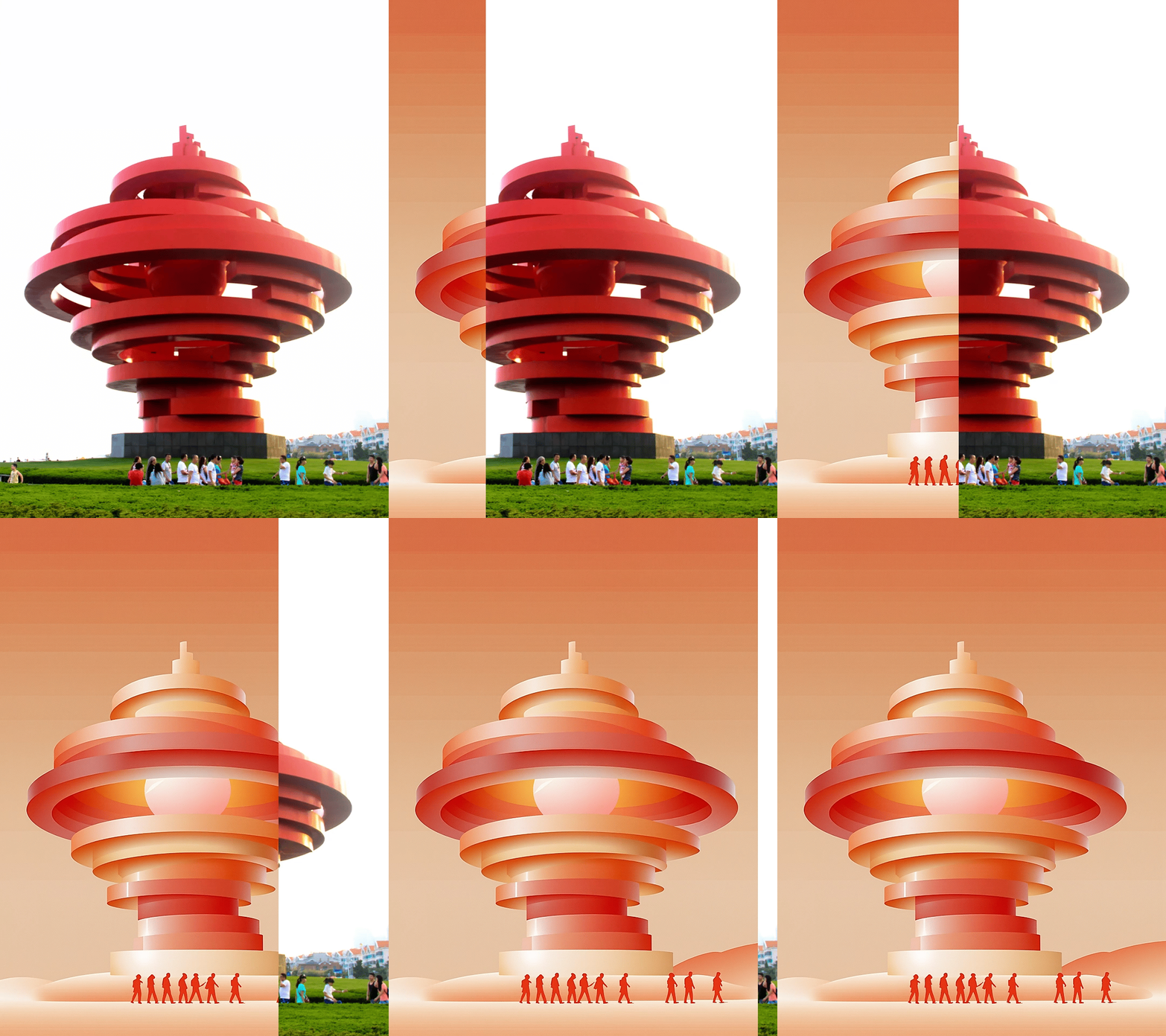
This workflow converts real photos into minimalist gradient-style illustrations by:
Triple ControlNet (Canny/Depth/Scribble) for structure preservation
IPAdapter style transfer for gradient color effects
Chibi LoRA enhancing cartoonish style
Outputs HD illustrations at 896x1184 resolution
2. Core Models
Model Name | Function | Key Files/Params |
|---|---|---|
RealVisXL Turbo | Base model (realistic→illustration) |
|
XLSLSH-Chibi LoRA | Flat style enhancement | Strength=0.3 |
CLIP-ViT-H-14 Encoder | Image feature extraction |
|
3. Key Nodes
Node Name | Function | Installation |
|---|---|---|
Triple ControlNet | Canny edge + Depth + XDoG scribble | Install |
IPAdapterAdvanced | Style transfer (weight=0.3) | Install |
Scribble_XDoG_Preprocessor | Hand-drawn sketch generation | Install |
4. Workflow Structure
Group 1: Input Processing
LoadImage: Resizes input to 896x1184
Canny/Depth/XDoG: Generates control maps
Group 2: Style Transfer
IPAdapter: Injects gradient style (prompt: "Flat gradient illustration, beige background")
LoRA Loader: Applies Chibi style
Group 3: Generation
ControlNetApplyAdvanced: Multi-control (edge=0.4/depth=0.2/scribble=0.2)
KSampler: Uses DPM++ 2M (30 steps, CFG=7)
5. Inputs & Outputs
Required Inputs:
Any real photo (clear subject recommended)
Style prompt (e.g., "Clean modern design with flat gradients")
Outputs:
PNG illustration (896x1184)
Auto-saved to
ComfyUI/output
6. Notes
⚠️ Critical Configs:
VRAM Optimization:
Enable
VAEDecodeTiledfor 8GB GPUsReduce resolution to 768x1024 if needed
Plugin Dependencies:
# ControlNet
git clone https://github.com/comfyanonymous/ComfyUI-ControlNet
# IPAdapter
git clone https://github.com/cubiq/ComfyUI_IPAdapter_plus
# Scribble
git clone https://github.com/space-nuko/ComfyUI-ScribbleNodes
Style Tuning:
Adjust
weightinIPAdapterAdvanced(0.3-0.6)Modify
thresholdinXDoG_Preprocessor(default=30)