Unlock the Power of Text-to-Video Generation with Alibaba's Wanx-8G Model
Unlock AI-powered video creation with Alibaba's Wanx-8G model! Learn how to generate stunning videos from text prompts using this beginner-friendly workflow. Discover advanced features like LoRA fine-tuning & tiled decoding. Get started now!
Workflow Overview
Unlock AI-powered video creation with Alibaba's Wanx-8G model! Learn how to generate stunning videos from text prompts using this beginner-friendly workflow. Discover advanced features like LoRA fine-tuning & tiled decoding. Get started now!
Content type: Workflow
Primary intent: Download
Required Models
- Lora
Setup Notes
- Install the required models before opening the workflow template.
- Recommended hardware: Low VRAM (≤8GB).
- Expected skill level: Beginner-friendly.
1. Workflow Overview
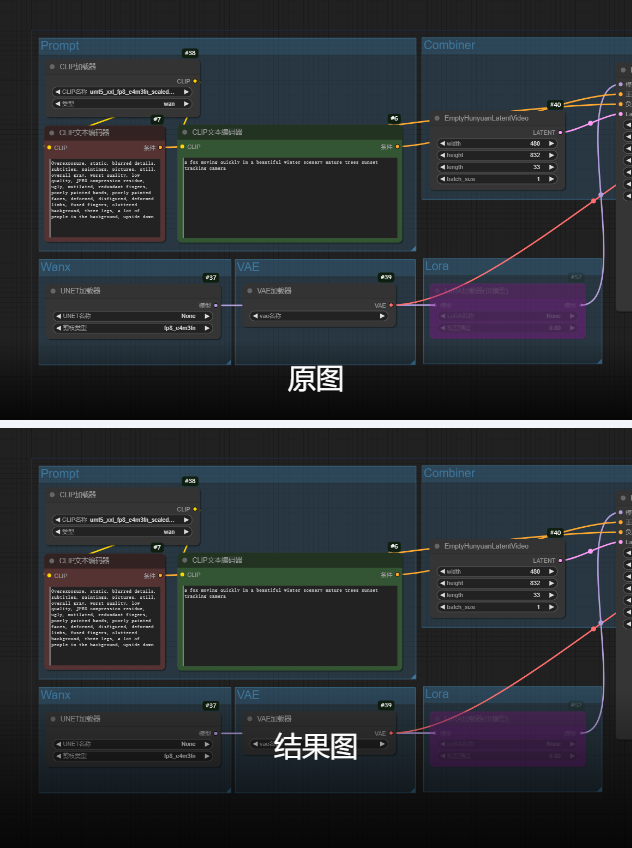
This workflow leverages Alibaba's Wanx-8G model for text-to-video generation, featuring:
Beginner-friendly: Pre-configured parameters
Advanced control: Supports LoRA fine-tuning & tiled decoding
Multi-format output: Direct MP4 (H.264) or animated image export
2. Core Models
Model Name | Function | Key Parameters |
|---|---|---|
UMT5-XXL Text Encoder | Handles multilingual prompts |
|
Wanx-8G UNET | Video latent generation | Default loading (no explicit file) |
Tiled VAE Decoder | VRAM-optimized decoding | Tile size: 128x32 |
3. Key Nodes
Node Name | Function | Installation |
|---|---|---|
EmptyHunyuanLatentVideo | Initializes video latent (832x480@33fps) | Requires Hunyuan plugin |
VAEDecodeTiled | Reduces VRAM usage via tiling | Built-in |
VHS_VideoCombine | Video compositing (H.264/MP4) | Install |
4. Workflow Structure
Group 1: Text Input
CLIPTextEncode: Processes positive (e.g., "A fox in snowy scenery") and negative prompts
Group 2: Model Loading
UNETLoader: Loads Wanx-8G main model
LoraLoaderModelOnly: Optional LoRA (default strength=0.8)
Group 3: Video Generation
KSampler: Uses UniPC sampler (30 steps, CFG=6)
VAEDecodeTiled: Decodes latent with tiling
5. Inputs & Outputs
Required Inputs:
Positive prompt (English/Chinese)
Negative prompt (pre-set quality filters)
Frame count (default=33)
Outputs:
MP4 video (16FPS, H.264)
Resolution: 832x480 (adjustable)
6. Notes
⚠️ Critical Configs:
VRAM Optimization:
Enable
VAEDecodeTiledfor 8GB GPUsUse
uni_pcsampler for faster generation
Plugin:
git clone https://github.com/AI-ModelScope/comfyui-hunyuan-pluginVideo Quality:
Adjust
crfinVHS_VideoCombine(18-28, lower=better)