Unlock Realistic Material Transfer with IPAdapterFaceIDKolors and ControlNet
Unlock stunning material transfers with this advanced pipeline! Discover how IPAdapterFaceIDKolors, ControlNet, and CLIP vision encoding combine for breathtaking results. Dive in and elevate your creative workflow!
- Models
- Controlnet
- Key Nodes
- IpadapterControlnet
- VRAM
- Low VRAM (≤8GB)
- Reading Time
- 3 min
Workflow Overview
Unlock stunning material transfers with this advanced pipeline! Discover how IPAdapterFaceIDKolors, ControlNet, and CLIP vision encoding combine for breathtaking results. Dive in and elevate your creative workflow!
Content type: Workflow
Primary intent: Download
Required Models
- Controlnet
Required Nodes
- Ipadapter
- Controlnet
Setup Notes
- Install the required models before opening the workflow template.
- Recommended hardware: Low VRAM (≤8GB).
1. Workflow Overview
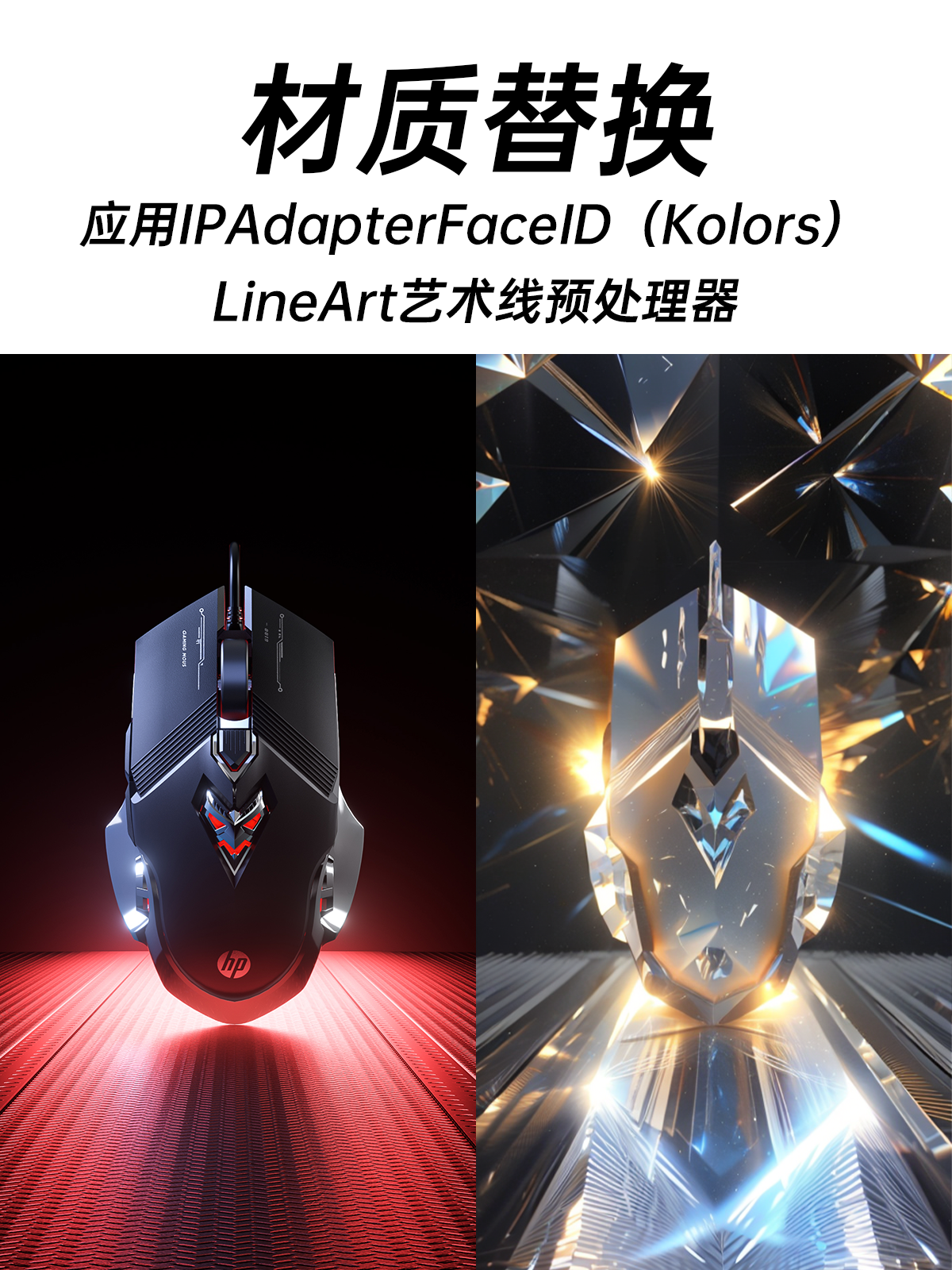
This is a material/style transfer pipeline featuring:
Advanced facial & color transfer via IPAdapterFaceIDKolors
Structure preservation with ControlNet line art
Enhanced detail retention using CLIP vision encoding + InsightFace
High-quality output with target material properties
2. Core Models
Model File | Purpose | Source |
|---|---|---|
majicMIX realistic 麦橘写实_v7 | Base model (realistic) | CivitAI |
control_v11p_sd15_lineart | Line art control | HuggingFace |
CLIP-ViT-H-14-laion2B-s32B-b79K | Visual feature encoding | OpenCLIP |
3. Key Components
Required Custom Nodes:
IPAdapter Suite
Includes
IPAdapterFaceIDKolors,IPAdapterNoiseetc.Install via
ComfyUI Manager(searchIPAdapter-Plus)
InsightFace Loader
Requires additional
antelopev2model file
4. Pipeline Stages
Stage 1: Preprocessing
Inputs:
Source image:
花瓣素材_珠宝系列...jpg(material reference)Target image:
97d3bd57...ycxIpG.jpg(content reference)
Key Operations:
PrepImageForClipVision: NormalizationLineArtPreprocessor: Line art generation
Stage 2: Feature Fusion
Core Technology:
IPAdapterFaceIDKolors:Strength=1.2 / Steps=2 / Blend mode="linear"
"K+mean(V) w/ C penalty" algorithm for color retention
ControlNetApplyAdvanced: Full-weight line art control
Stage 3: Generation
Sampling:
30 steps DPM++ 2M Karras
Resolution 512x1024
Output: Material-transferred image
5. Input/Output
Input Requirements:
Minimum 2 images:
Source (style/material reference)
Target (content reference)
Prompt: Simple (e.g. "4k") + Negative prompt "Fuzzy, low quality"
Output:
Generated image (auto-saved to
ComfyUI/output)
6. Critical Notes
Hardware:
≥8GB VRAM required (IPAdapterFaceIDKolors is resource-intensive)
InsightFace works better on GPU
Troubleshooting:
Adjust
strengthto 0.8-1.2 if face distortion occursVerify ControlNet model loading if line art fails
Extensions:
Add
Detailernode for post-processing face refinementExperiment with CLIP vision models (e.g.
ViT-L/14)