Unlock Professional-Grade Character-Scene Fusion with Advanced AI Pipeline
Unlock professional-grade character-scene fusion with our pipeline, featuring SDXL, FLUX, ControlNet, and more. Learn how to create stunning composites with precision control and advanced color matching. Get started now!
- Models
- FluxSdxlControlnet
- Key Nodes
- Controlnet
- VRAM
- Low VRAM (≤8GB)
- Reading Time
- 3 min
Workflow Overview
Unlock professional-grade character-scene fusion with our pipeline, featuring SDXL, FLUX, ControlNet, and more. Learn how to create stunning composites with precision control and advanced color matching. Get started now!
Content type: Workflow
Primary intent: Download
Required Models
- Flux
- Sdxl
- Controlnet
Required Nodes
- Controlnet
Setup Notes
- Install the required models before opening the workflow template.
- Recommended hardware: Low VRAM (≤8GB).
1. Workflow Overview
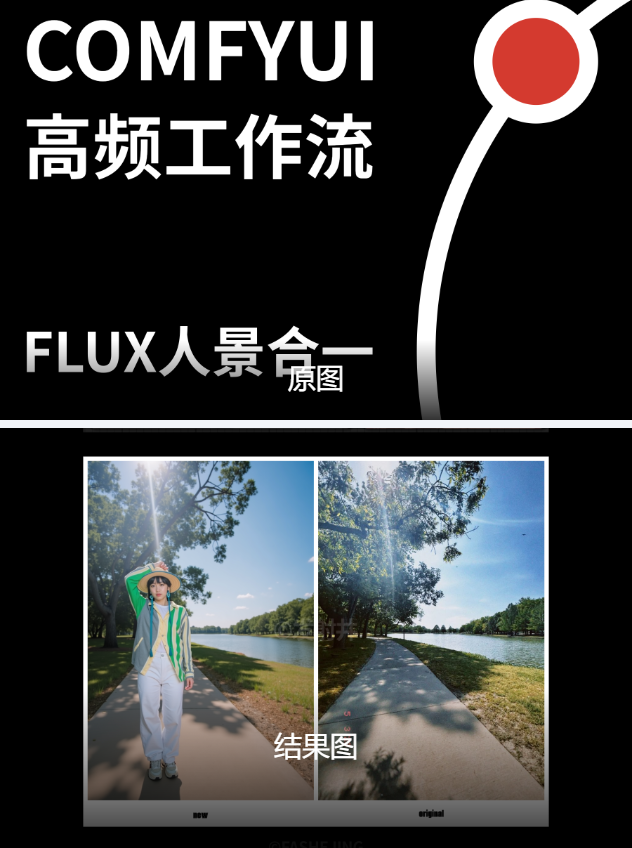
This is a professional-grade character-scene fusion pipeline featuring:
Dual-model architecture: SDXL for scenes + FLUX for characters
Precise composition control via ControlNet
Auto-segmentation with SAM+GroundingDINO
Advanced color matching and pixel-level compositing
HD output with comparison tools
2. Core Models
Model File | Purpose | Source |
|---|---|---|
copaxTimelessxl_v11Lightning.safetensors | Scene generation (optimized SDXL) | CivitAI |
flux1-dev-fp8.safetensors | Character generation | Private model |
ALL_controlnet_sdxl.safetensors | Pose control | HuggingFace |
3. Key Components
Required Custom Nodes:
ComfyUI-Impact-Pack
Provides
GroundingDinoSAMSegmentnodeInstall via ComfyUI Manager
ImageColorMatch+
Advanced color matching (manual install)
Critical params: RGB mode/strength=0.35/GPU acceleration
4. Pipeline Stages
Stage 1: Scene Processing
Input: ControlNet reference image + auto-tags
Key params: SDXL/20 steps/Euler ancestral/CFG=0.7
Stage 2: Character Generation
Input: Prompt "woman nude in room"
Key params: FLUX model/low CFG(0.4) for soft details
Stage 3: Smart Compositing
Core techniques:
Text-guided segmentation ("human body")
LAB color space matching
Multi-layer blending (feathered edges)
5. Input/Output
Input Requirements:
Scene reference image (1024x1536 recommended)
Character image (clear outline required)
Outputs:
Final composite (PNG)
Comparison view (slider/split-screen)
6. Critical Notes
Hardware:
Min VRAM: 8GB (FP16)
Recommended: 12GB (FP8)
Troubleshooting:
Download GroundingDINO model to
models/grounding-dinoif missingAdjust gamma in
ImageColorMatch+for color correction
Optimization:
Use
LCMsampler for faster scene generationReduce character KSampler to 15 steps