Revive Memories: AI-Powered Old Photo Restoration Made Easy
Restore old photos to their former glory with AI! Learn how to use ComfyUI's workflow, leveraging ControlNet, Florence2, GFPGAN, and R-ESRGAN to recover details, fix facial features, and upscale low-resolution images.
- Use Case
- Restoration
- Best For
- Restoration
- Models
- ControlnetSd
- Key Nodes
- ReactorControlnetUpscaler
- Reading Time
- 4 min
Workflow Overview
Restore old photos to their former glory with AI! Learn how to use ComfyUI's workflow, leveraging ControlNet, Florence2, GFPGAN, and R-ESRGAN to recover details, fix facial features, and upscale low-resolution images.
Content type: Workflow
Primary intent: Download
Required Models
- Controlnet
- Sd
Required Nodes
- Reactor
- Controlnet
- Upscaler
Setup Notes
- Install the required models before opening the workflow template.
Workflow Overview
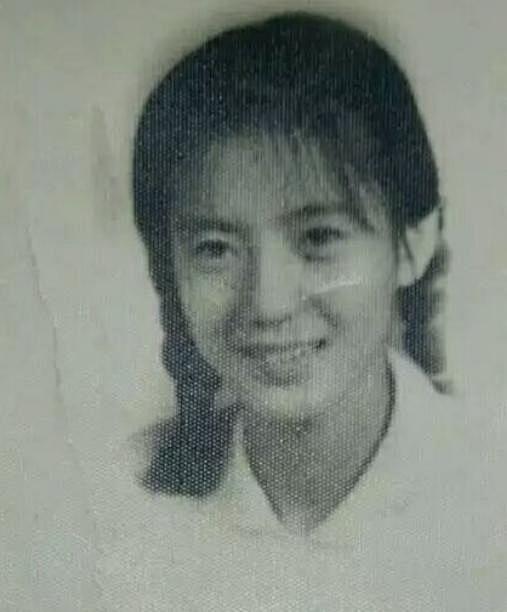
This workflow is designed for automatic old photo restoration and enhancement.
It includes:
Fixing blurry or damaged photos
Enhancing facial details
Upscaling images for higher resolution
It utilizes Stable Diffusion, ControlNet, Florence2 AI Image Analysis, GFPGAN for Face Restoration, ReActor Face Swap, and R-ESRGAN Super-Resolution.
Core Models
Stable Diffusion (Realistic Vision V5.1)
Handles base image restoration.
Florence-2 (microsoft/Florence-2-base)
Analyzes image content for optimized restoration.
GFPGAN (GFPGANv1.4.pth)
Enhances facial details.
ReActor (inswapper_128.onnx)
Performs intelligent face reconstruction.
ControlNet Modules
LineArt: Preserves edge details.
Depth Map: Recovers 3D depth.
OpenPose: Maintains human pose structure.
Super-Resolution Model (R-ESRGAN_4x+)
Upscales images for 4x resolution.
Workflow Structure
This workflow consists of five main stages:
1. Input & Analysis
LoadImage loads the old photo.
Florence2Run generates an AI description.
2. ControlNet Processing
Extracts edges, depth, and pose data.
3. High-Resolution Generation
KSampler & VAEDecode generate an enhanced version.
4. Face Restoration
ReActorFaceSwap + GFPGAN fix facial clarity.
5. Upscaling & Output
UltimateSDUpscale + R-ESRGAN perform final image upscaling.
Inputs & Outputs
Inputs
Old photo
AI-generated text descriptions
Face restoration settings
Super-resolution model settings
Outputs
Fully restored high-resolution photo
Up to 4K quality
Considerations
Performance Requirements
Since this workflow involves ControlNet, GFPGAN, and super-resolution, it is recommended to use an RTX 3090 or higher GPU for smooth processing.
Troubleshooting
If restoration results are unsatisfactory, try:
Adjusting Florence2-generated descriptions to optimize AI repair guidance.
Increasing KSampler steps for better detail generation.
If facial restoration looks unnatural, tweak ReActorFaceSwap parameters for improved alignment.
Compatibility
This workflow is compatible with ComfyUI 0.4+, and some nodes may require installation via ComfyUI-Manager.
This guide provides a detailed workflow for AI-based old photo restoration in ComfyUI! 🚀