Unlock Efficient Character Image Creation: A Comprehensive Workflow Guide
Generate high-quality multi-view character images with this LoRA training data preparation workflow, utilizing SDXL, PulID Flux, ControlNet, and StableSR. Learn how to create consistent character images with enhanced resolution and detailed refinement.
- Models
- FluxSdxlControlnetLora
- Key Nodes
- FaceDetailerControlnetUpscaler
- VRAM
- Medium VRAM (12–16GB)
- Reading Time
- 4 min
Workflow Overview
Generate high-quality multi-view character images with this LoRA training data preparation workflow, utilizing SDXL, PulID Flux, ControlNet, and StableSR. Learn how to create consistent character images with enhanced resolution and detailed refinement.
Content type: Workflow
Primary intent: Download
Required Models
- Flux
- Sdxl
- Controlnet
- Lora
Required Nodes
- FaceDetailer
- Controlnet
- Upscaler
Setup Notes
- Install the required models before opening the workflow template.
- Recommended hardware: Medium VRAM (12–16GB).
1. Workflow Overview
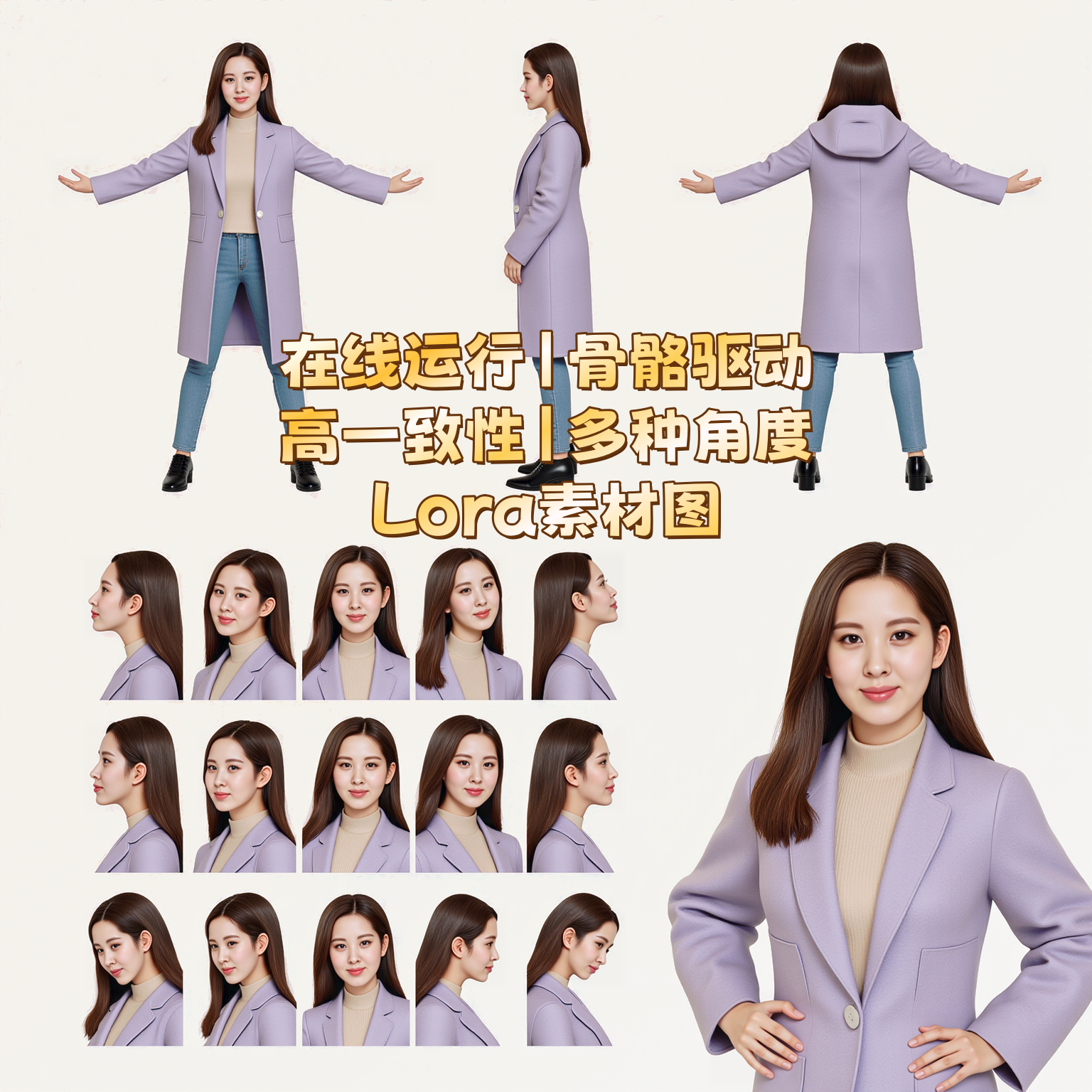
This workflow is designed for batch generation of multi-view character images, ideal for LoRA training data preparation. Key stages:
Multi-View Generation: Creates consistent character images from OpenPose skeletons + reference photos
Upscaling: Enhances resolution via FLUX model
Local Refinement: Fixes face/hand details
Cropping: Splits images into standardized tiles
Core Technologies:
SDXL + PulID Flux (identity preservation)
ControlNet OpenPose (pose control)
StableSR (denoising & super-resolution)
2. Core Models
Model | Function | Source |
|---|---|---|
| Base image generation | Built-in |
| Identity binding | |
| Pose control | Manual install |
| Super-resolution |
3. Key Nodes
Node | Purpose | Installation |
|---|---|---|
| Identity preservation |
|
| Face repair |
|
| Color correction |
|
| Auto captioning |
|
4. Workflow Structure
Group 1: Multi-View Generation
Input: OpenPose skeleton + reference image + prompts
Process: ControlNet for pose + PulID for consistency
Output: 1024x1024 images
Group 2: FLUX Upscaling
Input: Raw generated images
Process: 1.5x upscale + detail refinement
Output: 1536x1536 HD images
Group 3: Local Repair
Targets:
Faces (detected by
face_yolov8m)Hands (detected by
hand_yolov8s)
Group 4: Batch Cropping
Parameters: Custom crop coordinates (adjust manually)
Output: 640x832 standardized tiles
5. Input/Output
Input Parameters:
Required:
OpenPose skeleton image
Character reference photo (upper-body recommended)
Prompt (e.g., clothing description)
Optional:
ControlNet strength (0.5-0.7)
Seed value
Output:
Cropped character images (PNG)
Super-resolution comparison slider
6. Notes
Hardware: 12GB+ VRAM recommended. Use
--medvramfor low-end GPUs.Critical Parameters:
ControlNet end time: 0.4-0.6
Face repair steps: ≥20
Troubleshooting:
Download
pulid_flux_v0.9.0.safetensorsmanually if missingSkeleton image resolution ≥1024x1024