Elevate Your Art: ControlNet Pose Control and IPAdapter Style Transfer for High-Resolution Images
Unlock high-quality, stylized images with our workflow combining ControlNet pose control and IPAdapter style transfer. Generate realistic images with precise composition and style transfer. Download now and elevate your image generation!
- Models
- SdxlControlnet
- Key Nodes
- IpadapterControlnetUpscaler
- VRAM
- Medium VRAM (12–16GB)
- Reading Time
- 4 min
Workflow Overview
Unlock high-quality, stylized images with our workflow combining ControlNet pose control and IPAdapter style transfer. Generate realistic images with precise composition and style transfer. Download now and elevate your image generation!
Content type: Workflow
Primary intent: Download
Required Models
- Sdxl
- Controlnet
Required Nodes
- Ipadapter
- Controlnet
- Upscaler
Setup Notes
- Install the required models before opening the workflow template.
- Recommended hardware: Medium VRAM (12–16GB).
- Use the download button above to import the workflow JSON into ComfyUI.
1. Workflow Overview
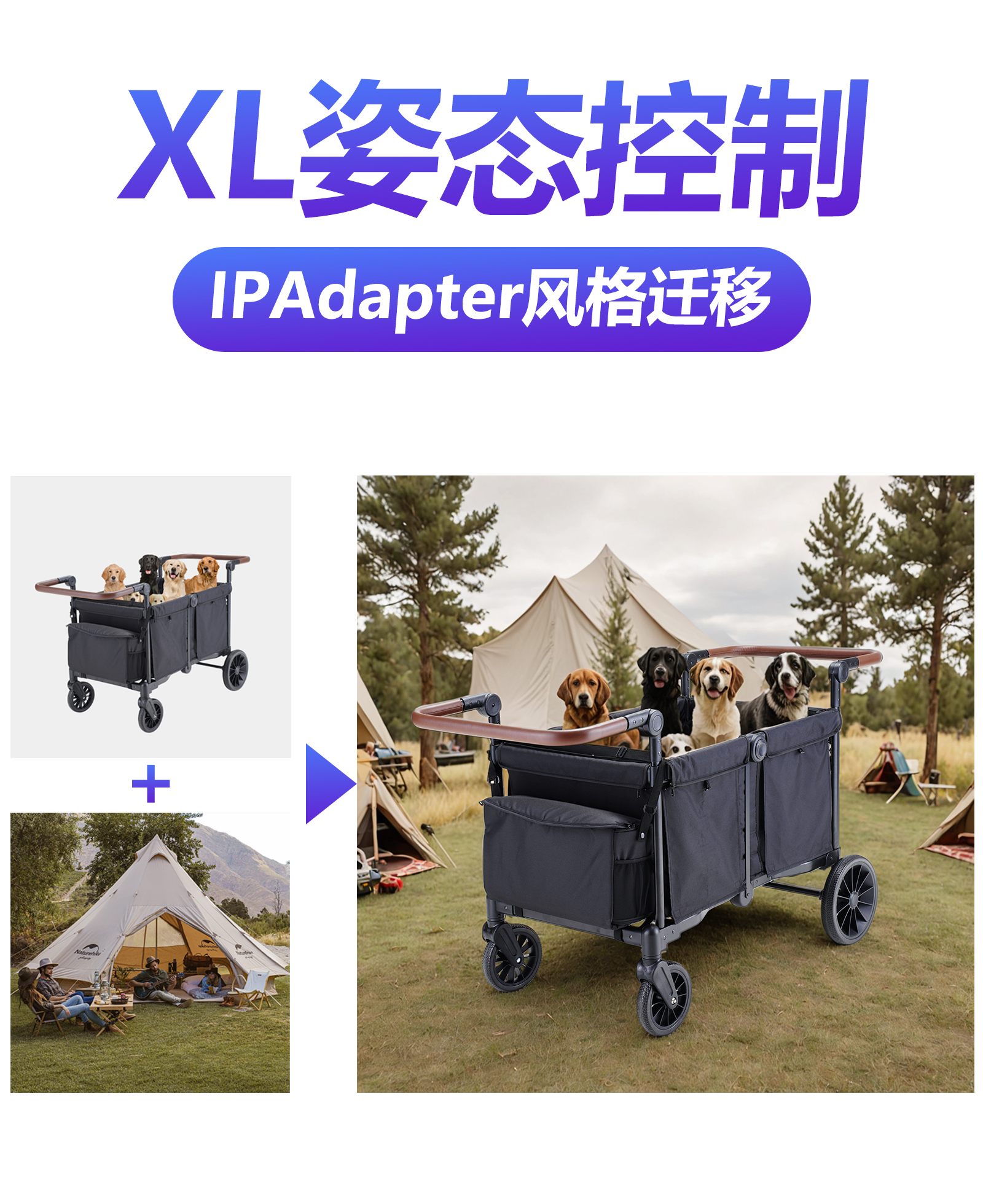
This workflow combines ControlNet pose control and IPAdapter style transfer to generate high-quality, stylized images, ideal for:
Pose Control: Uses ControlNet (scribble mode) to precisely control composition.
Style Transfer: Applies reference image styles (e.g., colors, textures) via IPAdapter.
High-Resolution Output: Default
1024x1024images with batch support.
2. Core Models
Model/Component | Function | Source |
|---|---|---|
DreamShaper XL v2.1 Turbo | Base SDXL model (realistic style). | Download to |
xinsir_controlnet-scribble-sdxl-1.0 | ControlNet scribble model for pose. | Download to |
IPAdapter VIT-G | Style transfer model (medium strength). | Install via |
3. Key Nodes
Node Name | Function | Installation |
|---|---|---|
| Applies ControlNet constraints. | Install ControlNet Preprocessors. |
| Loads IPAdapter models. | Install IPAdapter Plus plugin. |
| Tile-based upscaling. | Install Ultimate SD Upscale. |
4. Workflow Structure
Model & Input Loading
Loads base model, ControlNet scribble model, and IPAdapter.
Inputs: Reference image (style), white-background scribble image (pose), prompts.
Conditioning
CLIPTextEncode: Encodes positive/negative prompts.IPAdapter: Injects reference image style.
Image Generation
KSampler: Generates images with ControlNet + IPAdapter.EmptyLatentImage: Sets initial resolution (1024x1024).
Post-Processing
VAEDecode: Decodes latent to image.SaveImage: Saves output toComfyUI/output.
5. Input & Output
Input Parameters:
Reference Image: For style transfer (e.g.,
AI00.jpg).Scribble Image: White-background sketch (e.g.,
AI09.jpg) for pose control.Prompts: Positive (e.g., "A black camper with puppies, realistic") + negative defaults.
Output: One or more
1024x1024PNG images.
6. Notes
Hardware: Minimum 12GB VRAM (IPAdapter + ControlNet are resource-intensive).
Tuning Tips:
IPAdapter weight ≤0.9 to avoid overstyle.
ControlNet strength (default 0.85) affects pose rigidity.
Troubleshooting:
Missing models: Verify paths for
xinsir_controlnet-scribble-sdxl-1.0and IPAdapter.VRAM errors: Reduce batch size or resolution in
KSampler.