Unlock Professional Facial Retouching with This AI-Powered Workflow
Discover the ultimate facial photo retouching workflow, featuring automatic defect repair, texture preservation, and localized processing. Learn how to enhance skin details with AI models like TruePortrait XL Apex and Skin Texture Lora. Get started with our step-by-step guide and achieve natural-looking results!
- Key Nodes
- FaceDetailer
- VRAM
- Low VRAM (≤8GB)
- Reading Time
- 3 min
Workflow Overview
Discover the ultimate facial photo retouching workflow, featuring automatic defect repair, texture preservation, and localized processing. Learn how to enhance skin details with AI models like TruePortrait XL Apex and Skin Texture Lora. Get started with our step-by-step guide and achieve natural-looking results!
Content type: Workflow
Primary intent: Download
Required Models
- Flux
- Lora
Required Nodes
- FaceDetailer
Setup Notes
- Install the required models before opening the workflow template.
- Recommended hardware: Low VRAM (≤8GB).
1. Workflow Overview
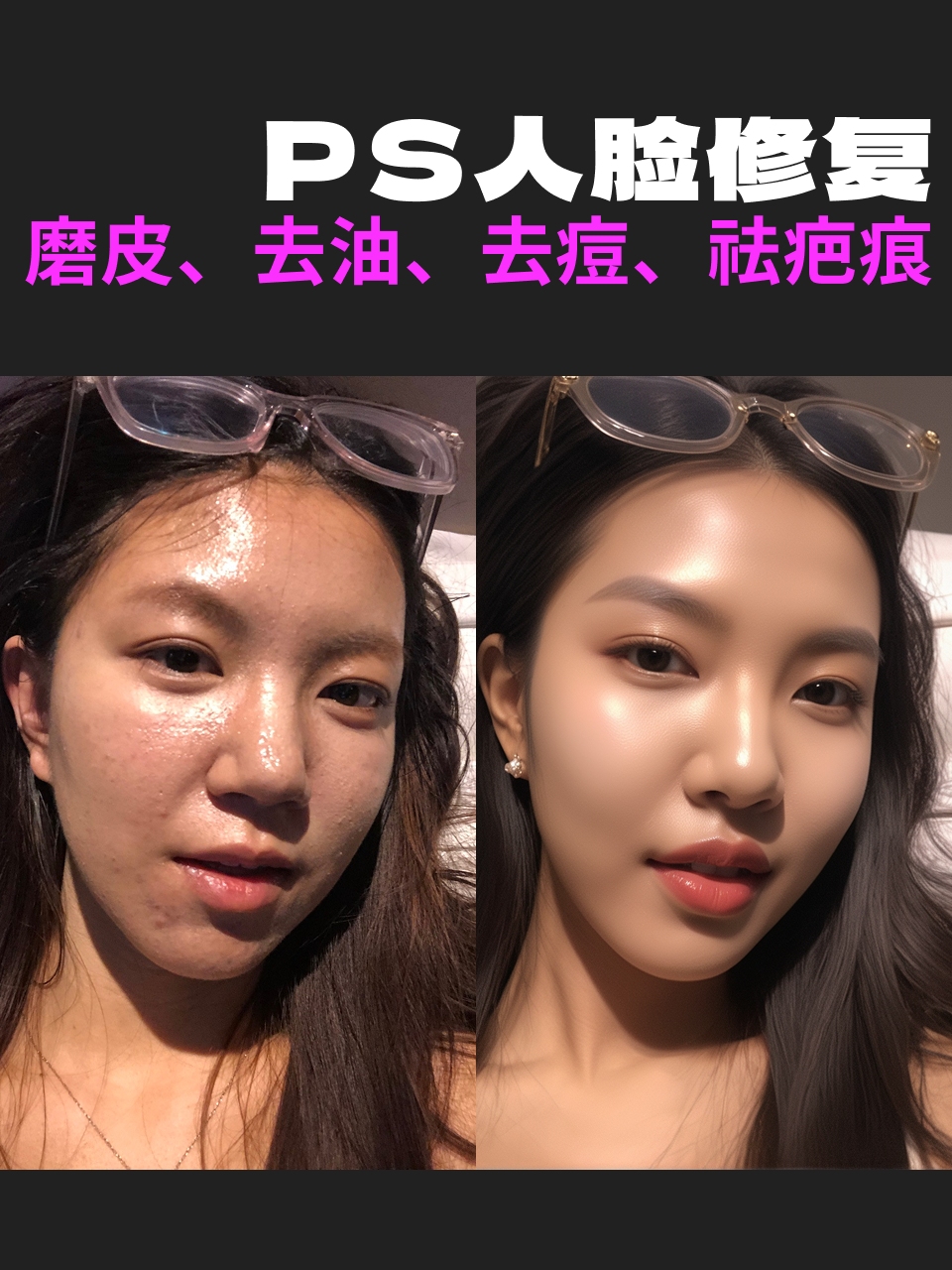
This workflow specializes in facial photo retouching with:
Automatic defect repair: Oiliness, acne, scars
Texture preservation: Enhances skin details without over-smoothing
Localized processing: Only modifies facial areas
Core Models:
TruePortrait XL Apex: Realistic portrait base model
Skin Texture Lora (weight 0.6): Optimizes pores and skin quality
YOLOv8m-seg: Face detection model
2. Key Components
Required Custom Nodes:
Impact Pack (via ComfyUI Manager):
Provides
FaceDetailernode
Ultralytics Detector:
Download
person_yolov8m-seg.pt
Segment Anything (SAM):
Required model:
sam_vit_b_01ec64.pth
Critical Parameters:
SEGSRangeFilterDetailerHookProvider:Limits processing area width ≤512px
Detailersampling:30 steps, CFG=5,
eulersampler
3. Workflow Structure
Group Logic:
Input Group:
Node:
LoadImage(e.g.,oily_face_sample.jpg)
Detection Group:
Nodes:
UltralyticsDetectorProvider+SAMLoaderFunction: Precise face segmentation
Retouching Group:
Core Node:
FaceDetailerKey Settings:
Denoise strength: 0.4
Mask expansion: 10px
Refinement passes: 3
Output Group:
Node:
SaveImageResult: Retouched PNG with natural skin texture
4. Input & Output
Input Requirements:
Formats: JPG/PNG
Optimal Resolution: ≥1024px (short edge)
Output Features:
Removes oiliness/acne/scars
Preserves realistic skin pores
5. Usage Notes
Hardware:
Recommended ≥8GB VRAM (SAM is resource-intensive)
Troubleshooting:
Background artifacts: Adjust
SEGSRangeFilterwidth thresholdOver-smoothed skin: Reduce Lora weight (default 0.6→0.4)
Customization:
Swap Lora for styles (e.g., "Midnight|Flux Xiaohongshu Photography_V1")