Revitalize Your Portraits: A Step-by-Step Guide to Professional Skin Restoration
Discover the power of professional portrait skin restoration with SUPIR plugin! Learn how to eliminate blemishes, enhance texture, and upscale to 2K/4K with our expert workflow.
- Use Case
- Portrait
- Best For
- Portrait
- VRAM
- Medium VRAM (12–16GB)
- Reading Time
- 3 min
Workflow Overview
Discover the power of professional portrait skin restoration with SUPIR plugin! Learn how to eliminate blemishes, enhance texture, and upscale to 2K/4K with our expert workflow.
Content type: Workflow
Primary intent: Download
Required Nodes
- Reactor
- Upscaler
Setup Notes
- Install the required models before opening the workflow template.
- Recommended hardware: Medium VRAM (12–16GB).
1. Workflow Overview
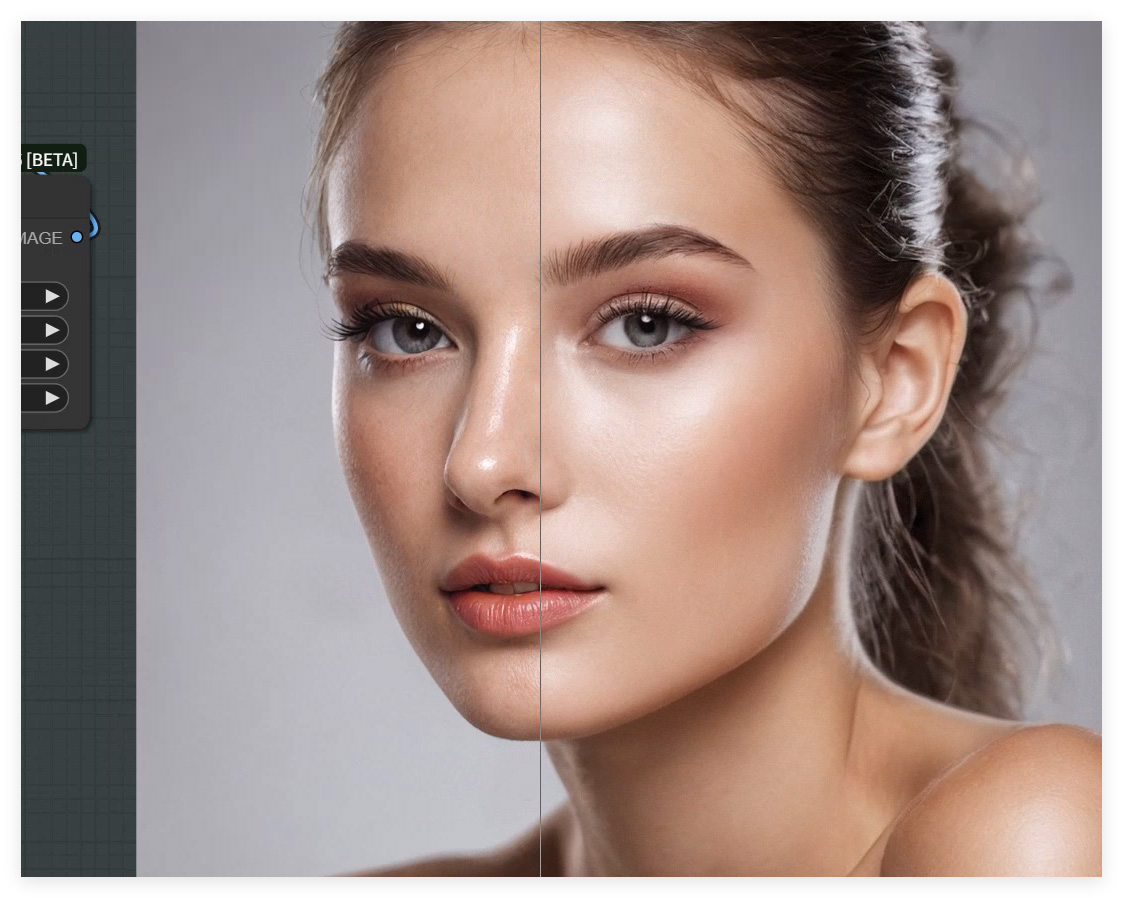
This workflow specializes in professional portrait skin restoration using SUPIR plugin, featuring:
Blemish Removal: Eliminates noise/wrinkles
Texture Enhancement: Amplifies pores/gloss details
AI Super-Resolution: Upscales to 2K/4K
Core Models:
dreamshaperXL_lightningDPMSDE: Base generatorSUPIR-v0Q: Skin-specialized model4xFFHQDAT+1x-ITF-SkinDiffDetail: 2-stage upscale
2. Components Breakdown
Key Nodes:
SUPIR Core Trio
SUPIR_model_loader_v2: Loads SUPIR modelSUPIR_first_stage: Pre-denoising (512x512)SUPIR_sample: Main restoration (RestoreDPMPP2MSampler)
Auxiliary Modules
ReActorRestoreFace: Face-specific repairColorAdjust(FaceParsing): Skin tone balanceColorMatch: Global color correction
Upscale Pipeline
Stage1:
4xFFHQDAT(2x)Stage2:
1x-ITF-SkinDiffDetail(skin detail)
Dependencies:
Required downloads:
# SUPIR model
wget https://huggingface.co/SUPIR/models/resolve/main/SUPIR-v0Q.ckpt -P ComfyUI/models/supir/
# GFPGAN model
wget https://github.com/TencentARC/GFPGAN/releases/download/v1.3.0/GFPGANv1.3.pth -P ComfyUI/models/facerestore/
3. Workflow Structure
Processing Flow:
Pre-Processing
Input →ReActorRestoreFace→ImageResize+SUPIR Restoration
Denoise → Prompt conditioning → Diffusion samplingPost-Processing
Upscale chain → Face refinement → Color matching
Critical Parameters:
Denoise strength: 1.5
Sampling steps: 10
4. Inputs & Outputs
Input Requirements:
Format: PNG/JPG (≥512x512)
Content: Front-facing portraits
Outputs:
Default resolution: 2048x2048
Includes: Before/after comparison
5. Notes
Hardware:
VRAM: ≥12GB (for 2048x2048)
Recommended: NVIDIA 30/40 series
Troubleshooting:(Python)
# Error: SUPIR_VAE not found Fix: Verify model path is ComfyUI/models/supir/ # Error: Face detection failed Fix: Decrease "Fidelity Scale" in ReActorOptimization:
Enable
PurgeVRAMfor batch processingUse
VAEEncodeTiledfor HD outputs