Unlock the Secrets of Ancient Beauty: A High-Precision Face Swapping Workflow
Unlock high-precision face swapping in classical Chinese portraits with ComfyUI's optimized workflow. Replace modern faces with ancient styles, preserving original lighting and adapting to traditional makeup. Learn how to use AI models for face detection, swapping, and enhancement.
- Use Case
- PortraitRestoration
- Best For
- Portrait, Restoration
- Key Nodes
- Reactor
- VRAM
- Low VRAM (≤8GB)
- Reading Time
- 4 min
Workflow Overview
Unlock high-precision face swapping in classical Chinese portraits with ComfyUI's optimized workflow. Replace modern faces with ancient styles, preserving original lighting and adapting to traditional makeup. Learn how to use AI models for face detection, swapping, and enhancement.
Content type: Workflow
Primary intent: Download
Required Nodes
- Reactor
Setup Notes
- Install the required models before opening the workflow template.
- Recommended hardware: Low VRAM (≤8GB).
1. Workflow Overview
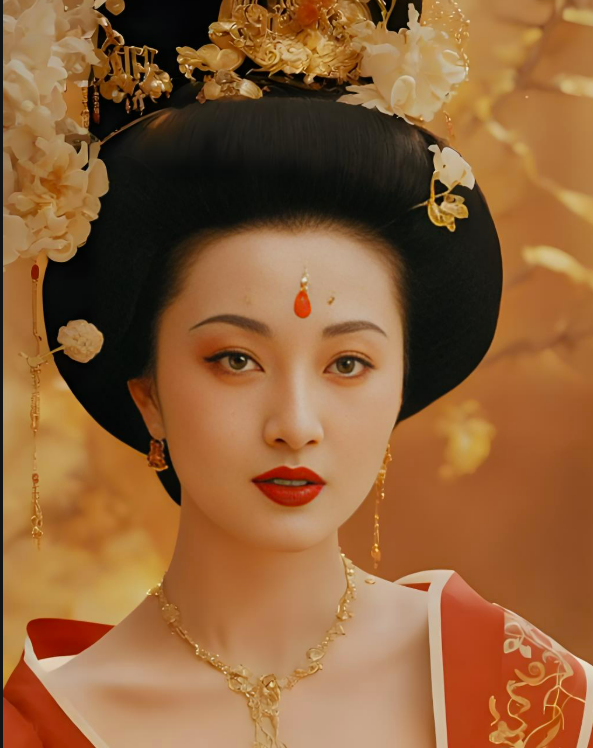
This workflow specializes in high-precision face swapping, optimized for classical Chinese portraits (e.g., replacing modern faces with Yang Guifei's style). Key steps:
Face Detection & Cropping: Auto-detects faces in source/target images.
Model Swapping: Uses
inswapper_128.onnxfor feature transfer.Quality Enhancement: Applies
GFPGANv1.4for facial detail restoration.Color Adaptation: Leverages
color101VAEfor skin tone consistency.
Highlights: Multi-angle support, preserves original lighting, adapts to ancient makeup.
2. Core Models
Model/Component | Function | Source |
|---|---|---|
inswapper_128.onnx | Core face-swapping model (128px) | |
GFPGANv1.4.pth | Face restoration | Manual download to |
color101VAE_v1.pt | Color-matching VAE | Place in |
retinaface_mobile0.25 | Lightweight face detector | Auto-downloaded |
3. Key Nodes
Node Name | Function | Installation |
|---|---|---|
ReActorFaceSwap | Executes face swap & enhancement | Install |
CropFace | Precise face cropping | Same as above |
VAELoader | Loads color-matching VAE | Built-in |
PreviewImage | Real-time preview | Built-in |
4. Workflow Groups
Input Group
Target Image: Classical portrait (e.g.,
ygf.png).Source Image: Modern face photo (e.g.,
girl_selfie.png).
Preprocessing Group
Face Cropping:
CropFaceextracts facial regions.VAE Loading:
color101VAE_v1.ptensures ancient-style skin tones.
Face Swap Group
ReActor Config:
Model:
inswapper_128.onnxEnhancer:
GFPGANv1.4(strength=1)Detector:
retinaface_resnet50
Output Group
VAE Decode: Restores image details.
Dual Preview: Swapped result + source face crop.
5. Inputs & Outputs
Required Inputs:
Target: Classical portrait (front-facing, ≥512x512).
Source: Modern face (clear features, simple background).
Params:
face_boost=1,swap_model=inswapper_128.
Output:
Swapped image (retains target's clothing/background).
Source face crop (for debugging).
6. Notes
Hardware:
≥6GB VRAM (RTX 3060+ recommended), GFPGAN requires extra resources.
Troubleshooting:
Misaligned faces: Switch detector to
resnet50(defaultmobile0.25may fail).Color mismatch: Try alternative VAEs or enable
color_transfer.
Model Paths:
Place
inswapper_128.onnxinComfyUI/models/insightface.