Transform Static Images into Cinematic Videos with AI-Powered Camera Magic
Transform static images into stunning cinematic videos with dynamic camera motions! Learn how to create 3D orbital effects, smart camera movements, and multi-style support with our workflow guide.
- Use Case
- Video
- Best For
- Video
- VRAM
- Medium VRAM (12–16GB)
- Reading Time
- 4 min
Workflow Overview
Transform static images into stunning cinematic videos with dynamic camera motions! Learn how to create 3D orbital effects, smart camera movements, and multi-style support with our workflow guide.
Content type: Workflow
Primary intent: Download
Required Models
- Wan2.1
- Lora
Setup Notes
- Install the required models before opening the workflow template.
- Recommended hardware: Medium VRAM (12–16GB).
1. Workflow Overview
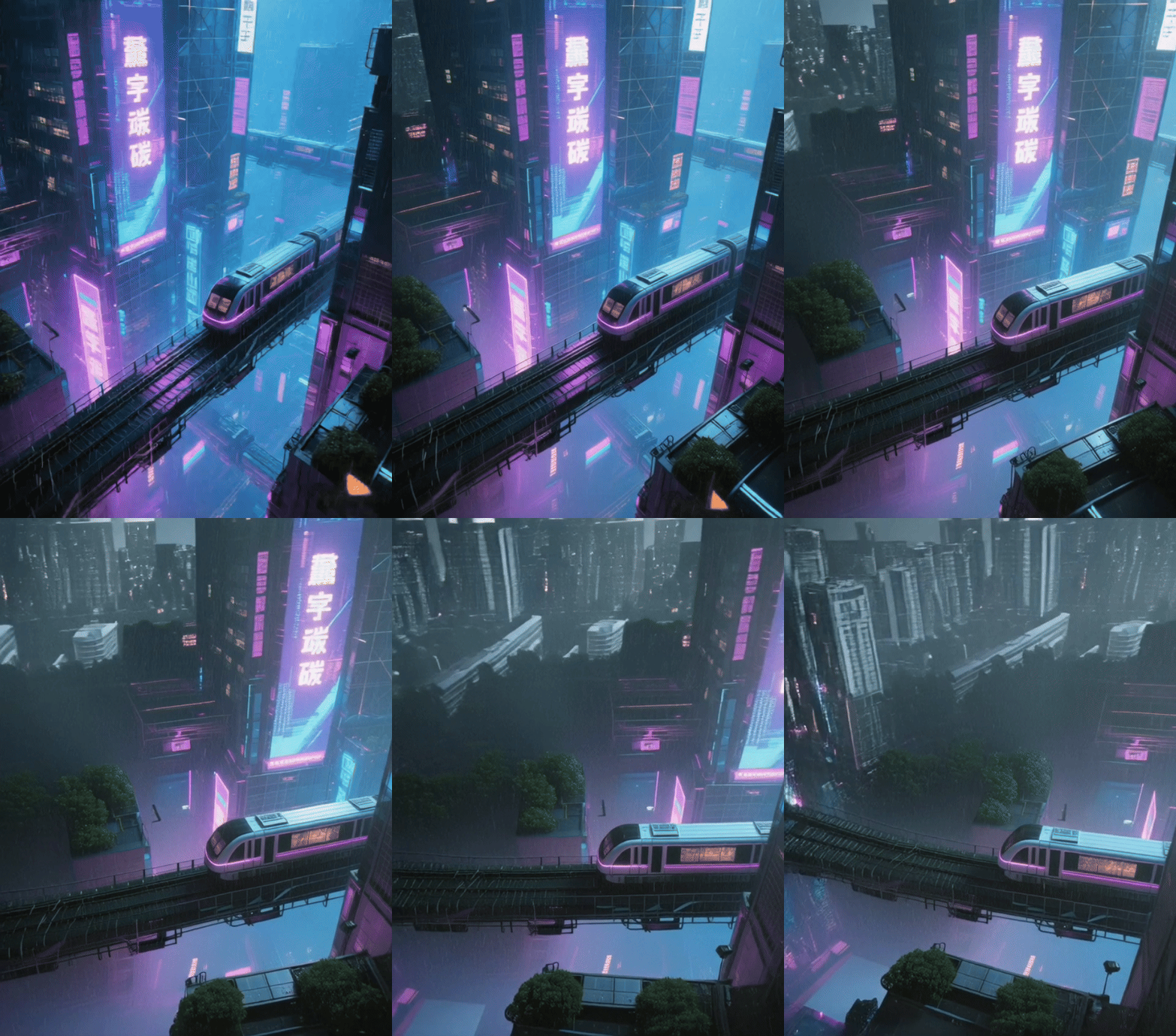
This workflow transforms static images into cinematic videos with dynamic camera motions, featuring:
3D Orbital Effects: Convert 2D images to 3D perspectives via LoRA.
Smart Camera Movement: Simulate professional shots (dolly/pan/rotate).
Multi-Style Support: Adapt to cyberpunk, ancient styles, etc.
HD Output: Generate 480P videos (16FPS) via Wan2.1 model.
Use Cases: Product demos, architectural visualization, game trailers, short videos.
2. Core Models
Model/Component | Function | Source |
|---|---|---|
Wan2.1-I2V-14B | Base image-to-video model (480P) |
|
Orbital Motion LoRA | 3D camera effects | Built-in |
UMT5-XXL Encoder | Processes complex motion prompts |
|
CLIP Vision Encoder | Extracts image features |
|
3. Key Nodes
Node Name | Function | Installation |
|---|---|---|
WanVideoModelLoader | Loads video generation model | Install |
WanVideoLoraSelect | Activates 3D motion LoRA | Same as above |
WanVideoTextEncode | Parses motion instructions | Same as above |
VHS_VideoCombine | Renders final video (MP4) | Install |
4. Workflow Groups
Model Loading Group
Load Wan2.1 base model + Orbital LoRA (weight=1).
Initialize UMT5 text and CLIP vision encoders.
Input Processing Group
Image Input: Static scene (e.g.,
cyberpunk_city.jpeg).Text Prompts:
Positive:
"smooth camera rotation around"Negative: Exclude static/low-quality terms.
Video Generation Group
Sampling:
Sampler:
dpm++_sde(20 steps, CFG=5).Fixed seed (
1057359483639287) for reproducibility.
Resolution: 480x832 (adaptive to landscape/portrait).
Output Group
16FPS MP4 video (CRF=19 for quality/size balance).
5. Inputs & Outputs
Required Inputs:
Image: ≥1024x1024, clear subject (e.g., building/product).
Motion Prompt: English instructions (e.g.,
"pan left slowly").
Output:
Video file (default
output.mp4) with metadata.
6. Notes
Hardware:
≥12GB VRAM (RTX 3090+), UMT5-XXL requires BF16 support.
LoRA Tuning:
Weight >1 enhances 3D effects but may reduce stability.
Troubleshooting:
Artifacts: Lower CFG (current=5) or reduce motion range.
Flickering: Enable
teacache_argsVRAM optimization.
Extensibility:
Swap LoRAs (e.g.,
360_rotation/time_lapse) for different styles.