Unlock the Secret to Viral RedNote Images with AI-Powered Style Transfer
Replicate viral RedNote images with AI! Learn how to use style transfer, auto-prompting, and face swapping to create authentic aesthetics, and discover the core models and dependencies required to get started.
Workflow Overview
Replicate viral RedNote images with AI! Learn how to use style transfer, auto-prompting, and face swapping to create authentic aesthetics, and discover the core models and dependencies required to get started.
Content type: Workflow
Primary intent: Download
Required Models
- Lora
Setup Notes
- Install the required models before opening the workflow template.
1. Overview
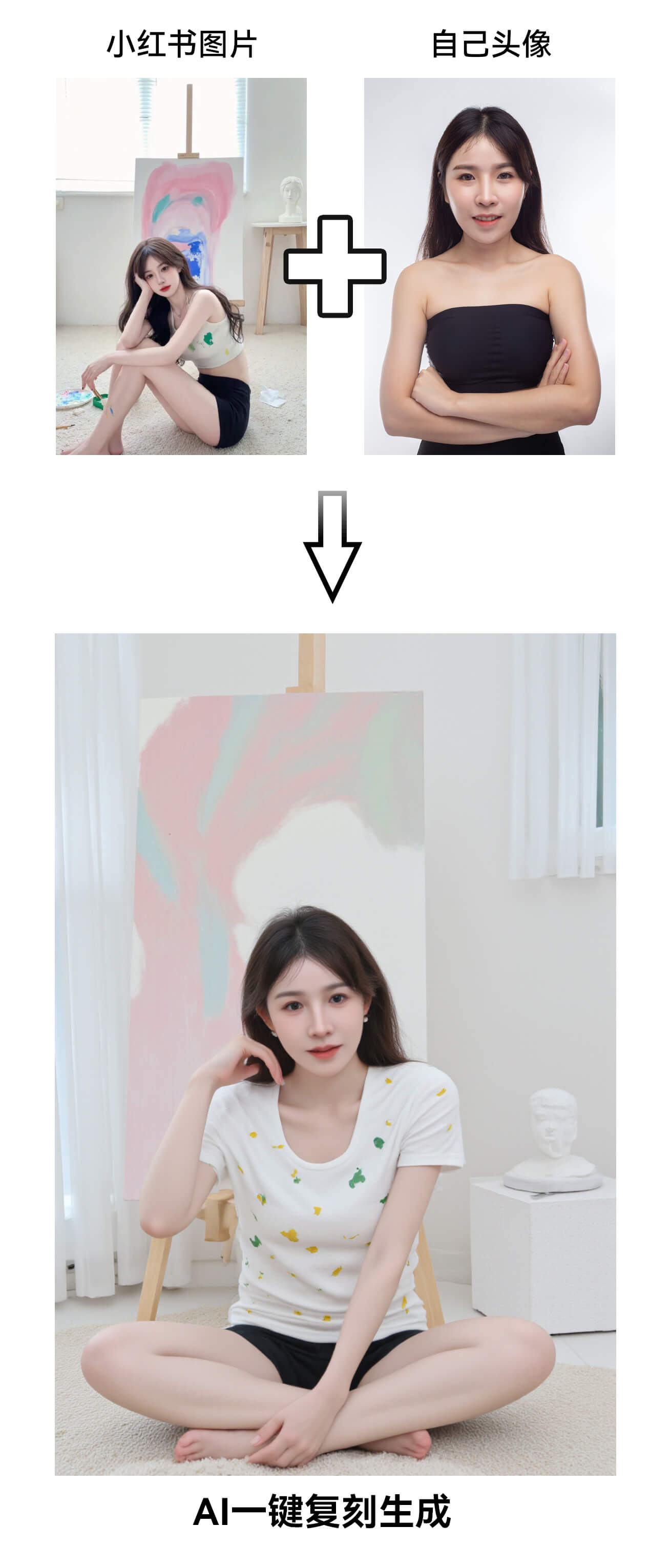
This workflow replicates RedNote viral images with AI, featuring:
Style Transfer: Uses
RedNote FP8 Modelfor authentic aesthetics.Auto-Prompting:
Florence2analyzes uploaded images to generate keywords.Face Swapping:
PulidFluxreplaces faces with user-uploaded portraits.High-Res Output: 1024x1536 resolution for platform compatibility.
Core Models:
Main:
小红书自然真实FP8模型LoRA:
Flux_小红书真实风格_V1(weight=0.8)Prompt Model:
Florence-2-large-PromptGen-v1.5Face Fusion:
pulid_flux_v0.9.0.safetensors
2. Key Nodes
Node | Function | Installation |
|---|---|---|
| Reverse-engineers image prompts |
|
| Face swapping | Requires |
| Dynamic prompt encoding | Built-in |
| Advanced sampling (Euler, 25 steps) | Built-in |
Dependencies:
Plugins:
Florence2: GitHub.PulidFlux: Download model manually.
Models:
RedNote model: LibLib.art.
3. Workflow Groups
Input Phase:
XHS Image Upload: Reference image for style analysis.
User Portrait: For face replacement.
Processing:
Prompt Generation:
Florence2Run→StringFunctionadds prefixes (e.g.,xhs,).Face Fusion:
PulidFluxprocesses user portrait.
Generation:
Sampling: 1024x1536, 25 steps, CFG=3.5.
4. Inputs & Outputs
Inputs:
Reference Image: 1+ RedNote-style images.
User Portrait: High-quality front-facing photo.
Output: HD image saved to
ComfyUI/output.
5. Notes
VRAM: ≥10GB GPU recommended (FP8 models reduce usage).
Face Swap Tips:
Use well-lit portraits without obstructions.
Troubleshooting:
Florence2 download error: Manually download models.PulidFlux dependency: Installinsightfacevia pip.
Optimization: Lower resolution (e.g., 768x1152) if OOM occurs.