Unlock Realistic Muscle Definition in Portraits with AI-Powered Workflow
Automate portrait muscle enhancement with AI! Learn how to refine muscle details, control local inpainting, and preprocess images with our workflow guide.
- Use Case
- Portrait
- Best For
- Portrait
- VRAM
- Medium VRAM (12–16GB)
- Reading Time
- 4 min
Workflow Overview
Automate portrait muscle enhancement with AI! Learn how to refine muscle details, control local inpainting, and preprocess images with our workflow guide.
Content type: Workflow
Primary intent: Download
Required Models
- Sdxl
- Lora
Setup Notes
- Install the required models before opening the workflow template.
- Recommended hardware: Medium VRAM (12–16GB).
- Use the download button above to import the workflow JSON into ComfyUI.
1. Workflow Overview
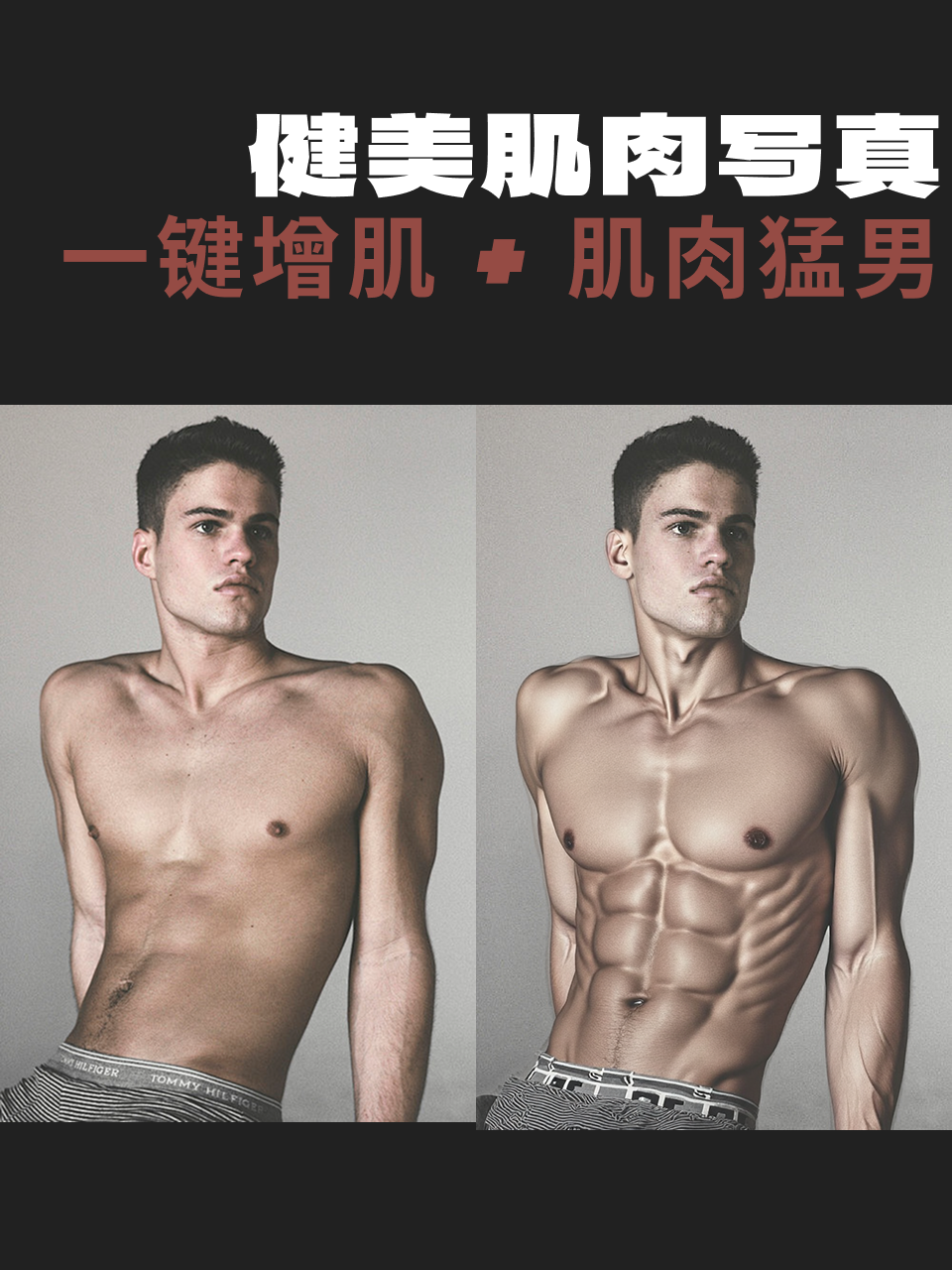
This workflow automatically enhances muscle definition in portraits using AI. Key features:
Muscle Enhancement: LoRA models refine muscle details.
Local Inpainting: Masks control muscle area generation.
Preprocessing: Depth maps, resizing, etc.
Core Models:
Base Model:
基础算法_F.1(UNET for image generation).LoRAs:
肌肉身材_v1.0(muscle enhancement).黑森林_Depth&Canny Lora(depth/edge control).XLabs F.1 Realism LoRA_V1(realism boost).
Auxiliary Models:
DepthAnythingV2(depth map generation).SegmentAnythingUltra V2(auto-segmentation).
2. Key Nodes & Installation
Node | Function | Installation |
|---|---|---|
DepthAnythingV2Preprocessor | Generates depth maps for 3D muscle effects. | Install |
SegmentAnythingUltra V2 | Segments body parts for masking. | Install |
FluxGuidance | Optimizes conditioning for muscle details. | Built-in node. |
InpaintModelConditioning | Repaints muscle areas based on masks. | Built-in node. |
ImageComposite+ | Blends generated muscles with the original image. | Install |
Dependencies:
Place LoRAs in
models/loras.Download depth models from Hugging Face/Civitai.
3. Workflow Structure
Group 1: Input & Preprocessing
Input: Portrait (e.g.,
64da76e6817701...jfif).Steps:
Load image via
LoadImage.Resize with
ImageScale(e.g., 512x512).Generate depth map via
DepthAnythingV2.
Group 2: Muscle Generation
Input: Preprocessed image, depth map, prompts (e.g., "Muscles, a strong body").
Steps:
Encode prompts with
CLIPTextEncode.Apply muscle LoRA (strength 0.72).
Generate enhanced image via
KSampler.
Group 3: Inpainting & Blending
Input: Generated image, original, masks.
Steps:
Segment body with
SegmentAnythingUltra.Refine masks via
GrowMaskWithBlur.Blend results with
ImageComposite+.
Group 4: Output
Result: Saved as PNG in
ComfyUI/output.
4. Inputs & Outputs
Inputs:
Image: Full-body/half-body portrait.
Prompts: Include "muscle," "bodybuilding," etc.
LoRA Strength: Adjustable (e.g., default 0.72 for
肌肉身材_v1.0).
Output:
Enhanced PNG image.
5. Notes
VRAM: ≥12GB recommended (multi-model inference).
Mask Accuracy: Tweak
SegmentAnythingUltraprompts (e.g., "arm, chest") if needed.Compatibility:
Some LoRAs require SDXL.
DepthAnythingV2needs CUDA.
Optimization:
Disable live preview (
VHS_latentpreview=false).Launch ComfyUI with
--highvram.