From Human to Mecha: A Deep Dive into the WAN2.1 Video Model Workflow
Transform portraits into epic mecha warrior videos with our workflow using WAN2.1 video model. Learn how to preserve backgrounds, achieve smooth morphing, and optimize for 720P output. Get started with our step-by-step guide!
- Use Case
- Video
- Best For
- Video
- VRAM
- Low VRAM (≤8GB)
- Reading Time
- 2 min
Workflow Overview
Transform portraits into epic mecha warrior videos with our workflow using WAN2.1 video model. Learn how to preserve backgrounds, achieve smooth morphing, and optimize for 720P output. Get started with our step-by-step guide!
Content type: Workflow
Primary intent: Download
Required Models
- Wan2.1
- Lora
Setup Notes
- Install the required models before opening the workflow template.
- Recommended hardware: Low VRAM (≤8GB).
1. Workflow Overview
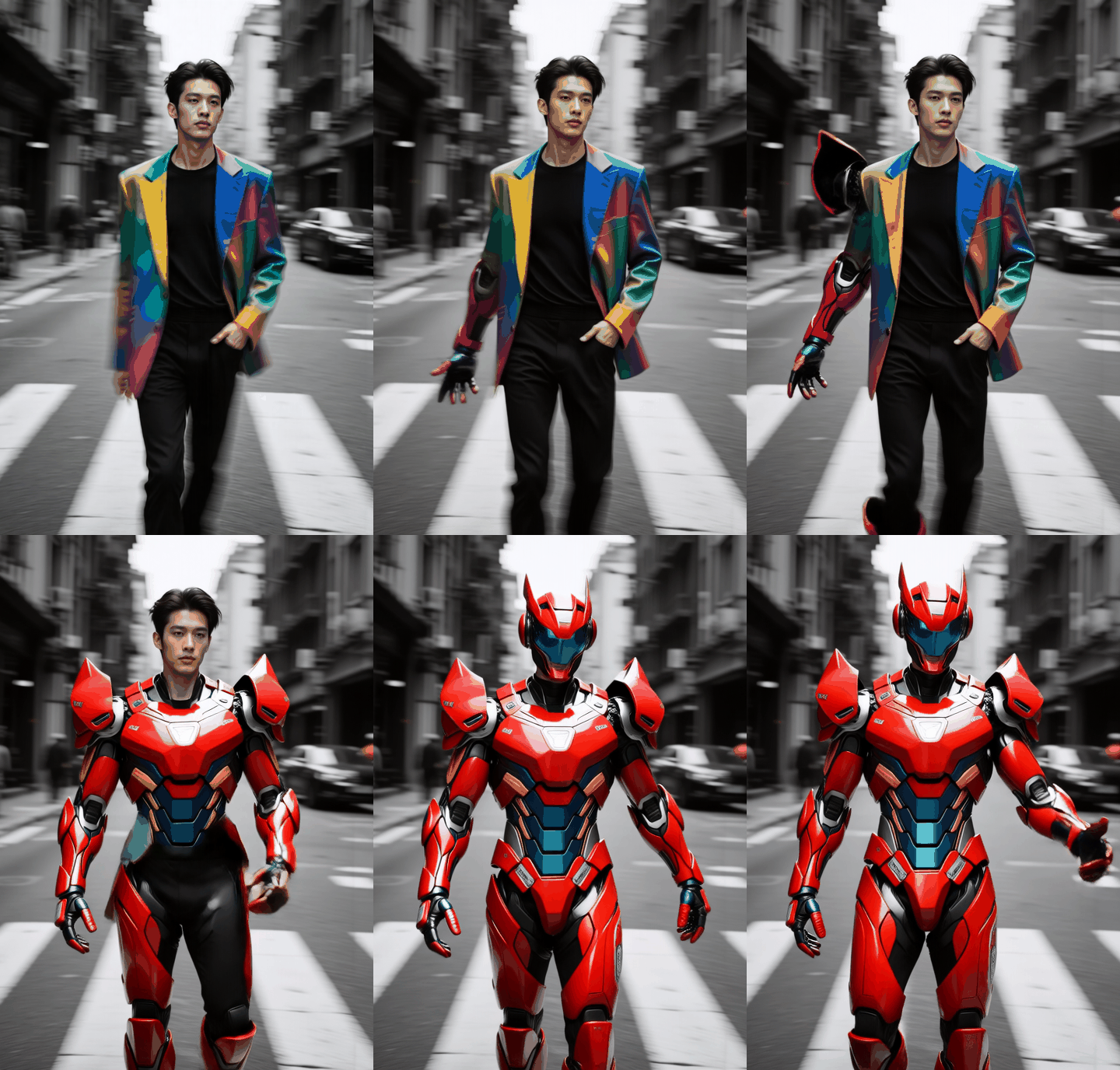
This "Mecha Transformation" workflow uses WAN2.1 video model to dynamically convert portraits into armored warrior videos. Key features:
Background preservation
Smooth human-to-mecha morphing
720P output (16FPS)
2. Core Models
Main Model: FP8-optimized
Wan2_1-I2V-14BLoRA:
WAN2.1 Mecha Transform(specialized)Video VAE: FP32 precision decoder
3. Key Nodes
Node | Function | Installation |
|---|---|---|
WanVideoTextEncode | Multilingual prompt processing |
|
WanVideoSLG | Semantic-Latent Guidance | Built-in |
Dependencies:
Text encoder
umt5-xxl-enc-bf16CLIP vision model
open-clip-xlm-roberta
4. Pipeline Stages
Stage 1: Initialization
Load WAN2.1 model trio
Inject mecha LoRA at 1.0 strength
Stage 2: Motion Control
Positive prompt: "woman wears mecha suit"
Negative prompt filters artifacts
Stage 3: Rendering
dpm++sampler (20 steps)Temporal consistency with
TeaCache
5. I/O Specification
Inputs:
Portrait image (e.g., 1024x1440 PNG)
Fixed seed
884841285240243
Output:
720P video with CRF19 compression
6. Critical Notes
⚠️ Requirements:
16GB+ VRAM (FP8 optimized)
CUDA 12.1+ recommended
🔧 Pro Tips:
Adjust
SLG scale(0.1-1.0) for morphing intensityEnable
sageattnin model loader for speed boost