Unlock Animated Wing Effects with WAN2.1: A Step-by-Step Workflow
Unlock animated wing effects in your videos with our I2V workflow, leveraging WAN2.1 model for stunning results. Learn how to generate HD videos with ease!
- Use Case
- Video
- Best For
- Video
- VRAM
- Medium VRAM (12–16GB)
- Reading Time
- 4 min
Workflow Overview
Unlock animated wing effects in your videos with our I2V workflow, leveraging WAN2.1 model for stunning results. Learn how to generate HD videos with ease!
Content type: Workflow
Primary intent: Download
Required Models
- Wan2.1
- Lora
Setup Notes
- Install the required models before opening the workflow template.
- Recommended hardware: Medium VRAM (12–16GB).
1. Workflow Overview
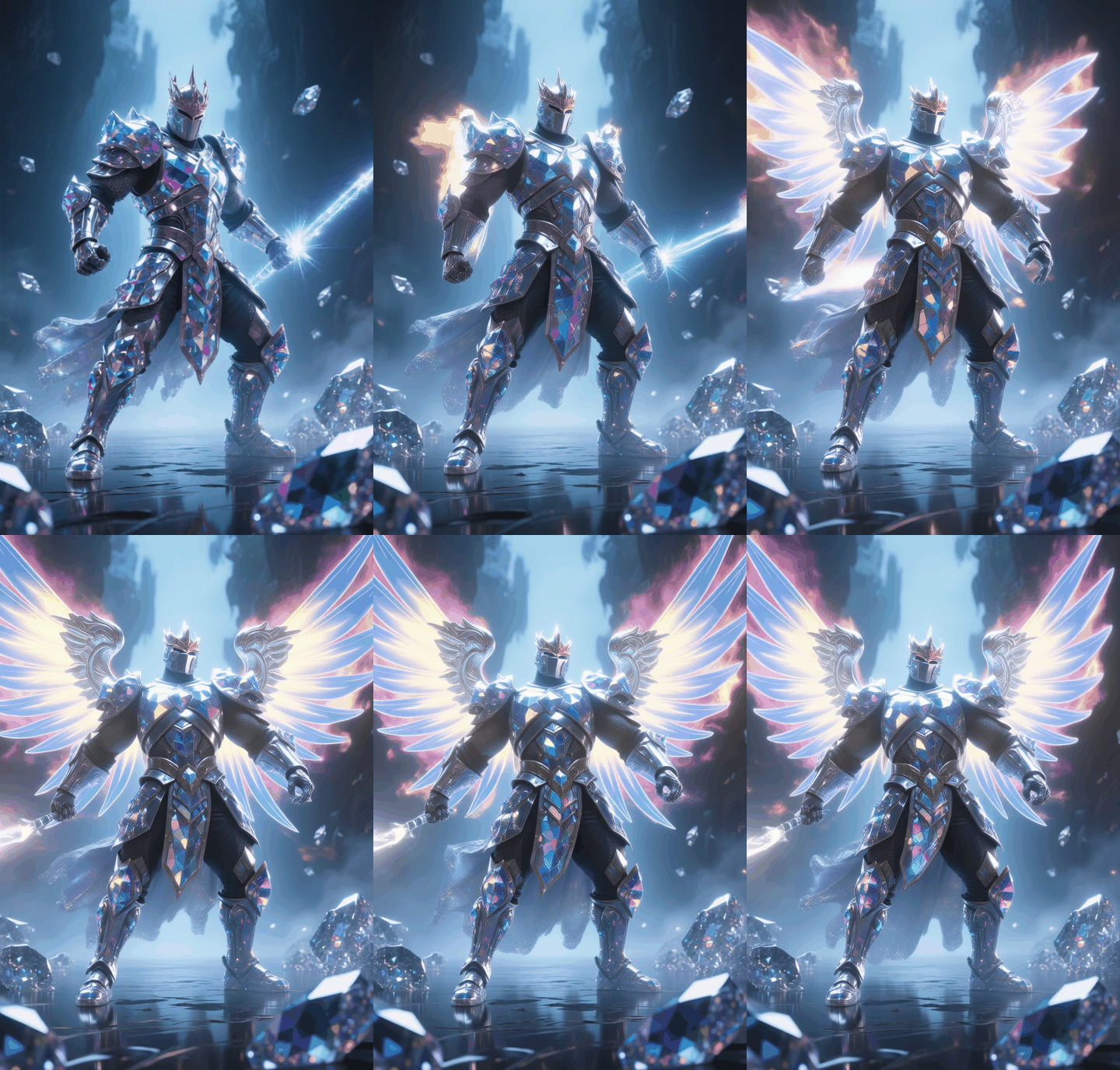
This workflow leverages WAN2.1 model for Image-to-Video (I2V) generation, specializing in adding animated wing effects to static images. It processes inputs through text encoding, image embedding, video sampling, and optional frame interpolation to output HD videos. Ideal for character animation and short video production.
2. Core Models
Model Name | Function | Installation |
|---|---|---|
Wan2_1-I2V-14B-720P | Main model for temporal video generation | Download |
umt5-xxl-enc-bf16 | Text encoder for multilingual prompts | Manual download to |
WAN2.1 ZOEY Wings LoRA | Adds glowing wing animations | Place in |
GIMMVFI Interpolation | Frame interpolation (optional) | Install via |
3. Key Nodes
Node Name | Function | Installation |
|---|---|---|
WanVideoImageClipEncode | Encodes input image to latent features | Built-in (requires |
WanVideoSampler | Controls video sampling steps (20 steps) | Same as above |
GIMMVFI_interpolate | Frame interpolation (disabled by default) | Requires |
VHS_VideoCombine | Video rendering & export | Same as above |
4. Workflow Structure
Group 1: Text & Image Encoding
Inputs: Positive prompt (e.g., "red glowing wings"), negative prompt (e.g., "blurry"), source image (
720x480).Outputs: CLIP image embeds + T5 text embeds.
Group 2: Video Generation
Inputs: Seed
378521426092274, sampler (DPM++, 20 steps).Outputs: Raw video (16FPS).
Group 3: Post-Processing (Interpolation) (Optional)
Inputs: Raw video + GIMMVFI model.
Outputs: Interpolated video (30FPS).
5. Inputs & Outputs
Required Inputs:
Image: PNG, recommended resolution ≥720P.
Prompts: Supports Chinese/English (e.g., "chibang, glowing wings").
Output:
Video: MP4 (H.264, 16FPS default, 30FPS interpolated).
6. Notes
⚠️ Common Issues:
VRAM Overflow: Use GPU with ≥12GB VRAM or reduce resolution to
480x270.LoRA Load Fail: Verify filename
WAN2.1 ZOEY 光翼翅膀_Alpha.safetensors.Interpolation Lag: Disable GIMMVFI node if unnecessary.
🔧 Optimization Tips:
Use
bf16precision for lower VRAM (if supported).Disable redundant options in
ExperimentalArgs.