Intelligent Image Expansion: Mastering Flux Fill with Wan2.1 Workflow
Unlock AI-powered image outpainting with the Wan2.1 Preprocessor workflow! Learn how to generate seamless square compositions using Flux Fill model and Differential Diffusion. Get started now and transform your images!
- VRAM
- Low VRAM (≤8GB)
- Reading Time
- 2 min
Workflow Overview
Unlock AI-powered image outpainting with the Wan2.1 Preprocessor workflow! Learn how to generate seamless square compositions using Flux Fill model and Differential Diffusion. Get started now and transform your images!
Content type: Workflow
Primary intent: Download
Required Models
- Flux
- Wan2.1
Setup Notes
- Install the required models before opening the workflow template.
- Recommended hardware: Low VRAM (≤8GB).
1. Workflow Overview
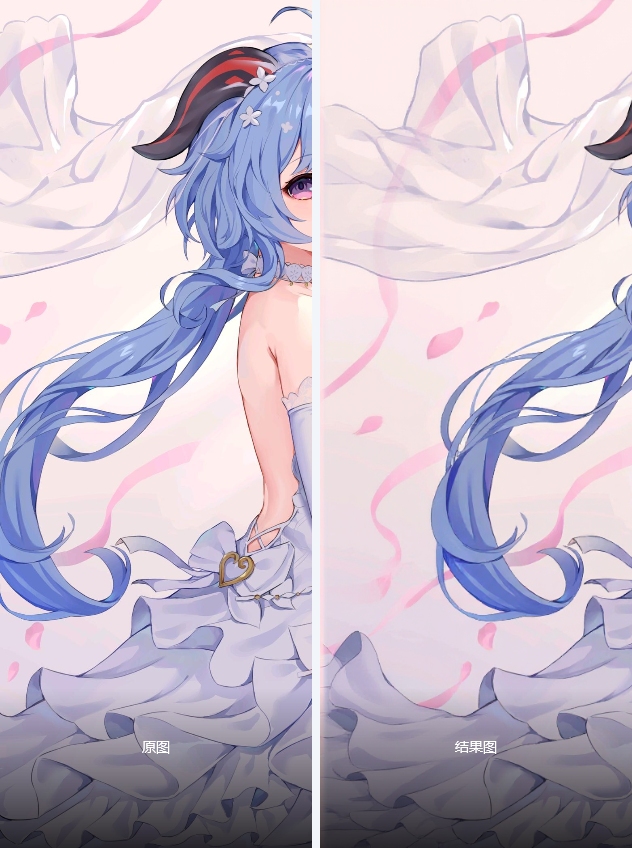
This "Wan2.1 Preprocessor" workflow utilizes Flux Flill model to intelligently outpaint input images into square compositions. It combines Differential Diffusion with Flux Guidance for seamless edge transitions.
2. Core Models
Model File | Function | Installation |
|---|---|---|
flux1-fill-dev.safetensors | Flux outpainting specialist | Manual placement required |
t5xxl_fp8_e4m3fn.safetensors | Flux text encoder | Must be in |
3. Critical Nodes
DifferentialDiffusion (Node 39):
Dynamically adjusts edge generation intensity
▶ Requires Flux-series modelsImage Comparer (rgthree):
Interactive before/after comparison UI
▶ Install viaComfyUI-rgthreeextension
4. Workflow Logic
Data Preprocessing Group:
Automatically processes all images in input directory
Calculates padding dimensions through math nodes
Outpainting Group:
Generates padding mask via AI analysis
Performs latent space diffusion (20 steps)
Outputs 4K-ready square images
5. Key Parameters
Input:
Source image directory (modifiable)
Seed: 764442076935121
Output:
Saved to local path with metadata
6. Pro Tips
⚠️ Requirements:
Minimum 8GB VRAM for 1024x1024 generation
Correct model folder structure
💡 Recommended:Use
--medvramflag for GPUs <12GBAdjust KSampler scheduler per hardware