Create Mesmerizing Dance Anime with 3x Frame Interpolation and Face Swapping
Unlock stunning anime-style dance videos with our WanVideo-UniAnimate workflow! Discover how to convert real dance videos into mesmerizing anime clips with pose control, face swapping, and frame interpolation. Get started now!
- Best For
- Portrait, Video
- Key Nodes
- Reactor
- VRAM
- Low VRAM (≤8GB)
- Reading Time
- 3 min
Workflow Overview
Unlock stunning anime-style dance videos with our WanVideo-UniAnimate workflow! Discover how to convert real dance videos into mesmerizing anime clips with pose control, face swapping, and frame interpolation. Get started now!
Content type: Workflow
Primary intent: Download
Required Models
- Wan2.1
- Lora
Required Nodes
- Reactor
Setup Notes
- Install the required models before opening the workflow template.
- Recommended hardware: Low VRAM (≤8GB).
1. Workflow Overview
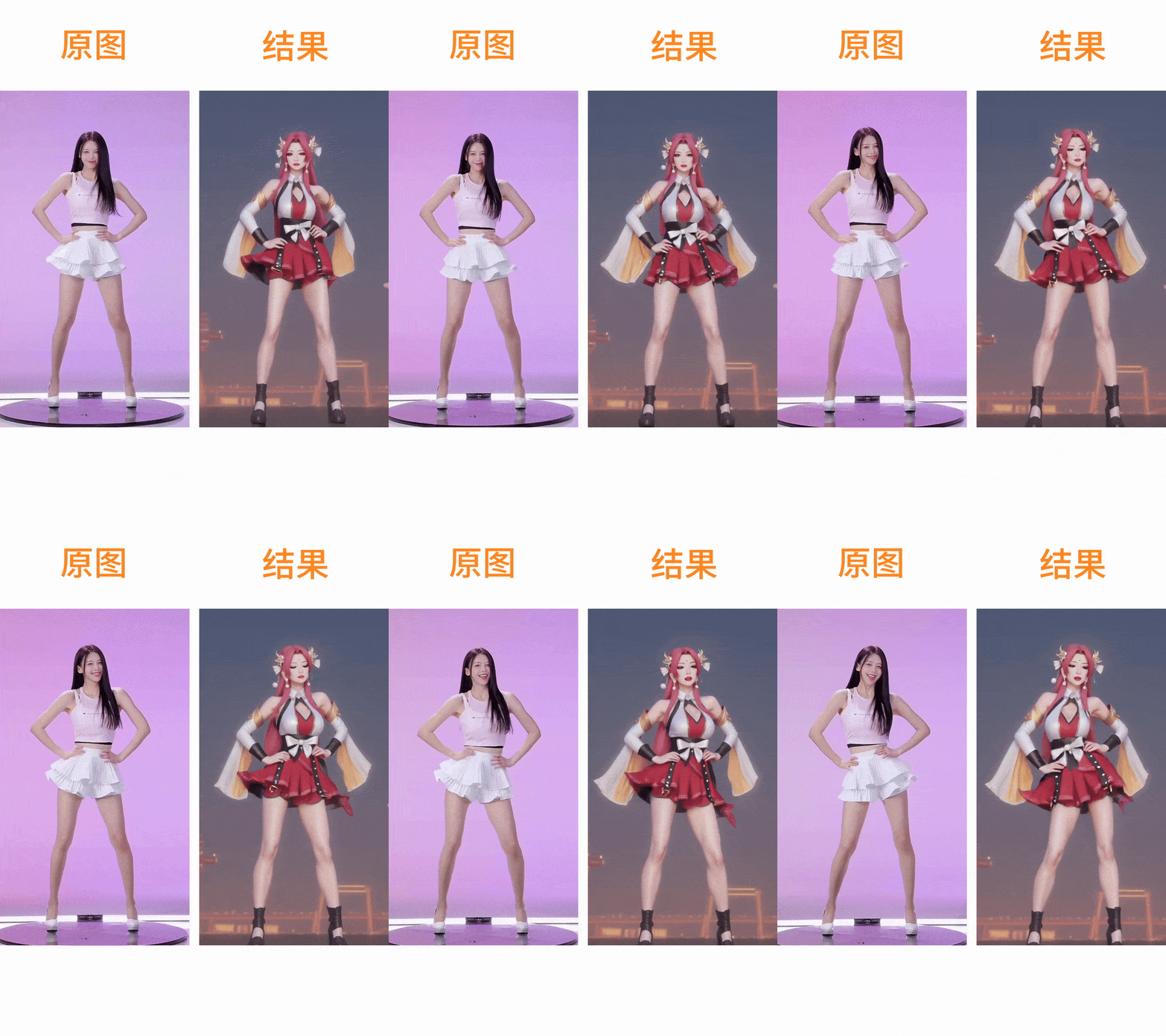
This is a dance video stylization workflow based on WanVideo-UniAnimate, featuring:
Real dance video to anime conversion
Pose control (DWPose) + Face swapping (ReActor)
3x frame interpolation (RIFE VFI)
720P/1080P output
Key Models:
Wan2.1-I2V-14B: 14B-parameter base model (FP8 quantized)UniAnimate Pose: Precise dance motion captureRIFE 4.7: 3x frame interpolation
2. Critical Nodes
Node | Function | Installation |
|---|---|---|
| Loads 14B video model ( | Requires ComfyUI-WanVideoWrapper |
| Extracts dance poses | Part of WanVideoWrapper plugin |
| Face replacement (needs | Install ReActor |
Dependencies:
Model Files:
Wan2_1-I2V-14B_fp8_e4m3fn.safetensors→ Save tomodels/wanvideo/umt5-xxl-enc-bf16.safetensors→ Save tomodels/clip/
3. Workflow Structure
Phase 1: Input Prep
VHS_LoadVideo: Loads dance video (downsampled to 8FPS)
Phase 2: Generation Core
DWPoseextracts skeleton dataUniAnimategenerates frames (720x1280)Style control via LoRA
Phase 3: Post-Processing
RIFE VFI: 3x frame interpolation (output 24FPS)Optional
ReActorface swap
4. Inputs & Outputs
Required Inputs:
Source dance video (
ae3135303eee...mp4)Target face image (
07b81177eb57...png)
Outputs:
Final video as MP4 (H.264, CRF=19)
Example filename:
WanVideoWrapper_I2V_00011.mp4
5. Important Notes
⚠️ Hardware:
Minimum 16GB VRAM (14B model requirement)
Launch with --medvram flag
🔧 Troubleshooting:
VRAM overflow solutions:
Reduce
frame_load_cap(e.g., set to 40)Decrease resolution (set width to 640 in
ImageResizeKJv2)
Motion glitches:
Increase
motion_scaleinWanVideoExperimentalArgs(default=1.25)