Unlock the Power of Wan2.1: Dynamic Video Generation with Avatar Summoning Effects
Unlock dynamic video generation with the Wan2.1-I2V-14B model! Learn how to create stunning "Avatar Summoning" effects with text prompts, input images, and custom LoRAs. Discover the workflow, core models, and key nodes to get started
Workflow Overview
Unlock dynamic video generation with the Wan2.1-I2V-14B model! Learn how to create stunning "Avatar Summoning" effects with text prompts, input images, and custom LoRAs. Discover the workflow, core models, and key nodes to get started
Content type: Workflow
Primary intent: Download
Required Models
- Wan2.1
Setup Notes
- Install the required models before opening the workflow template.
- Recommended hardware: Low VRAM (≤8GB).
1. Workflow Overview
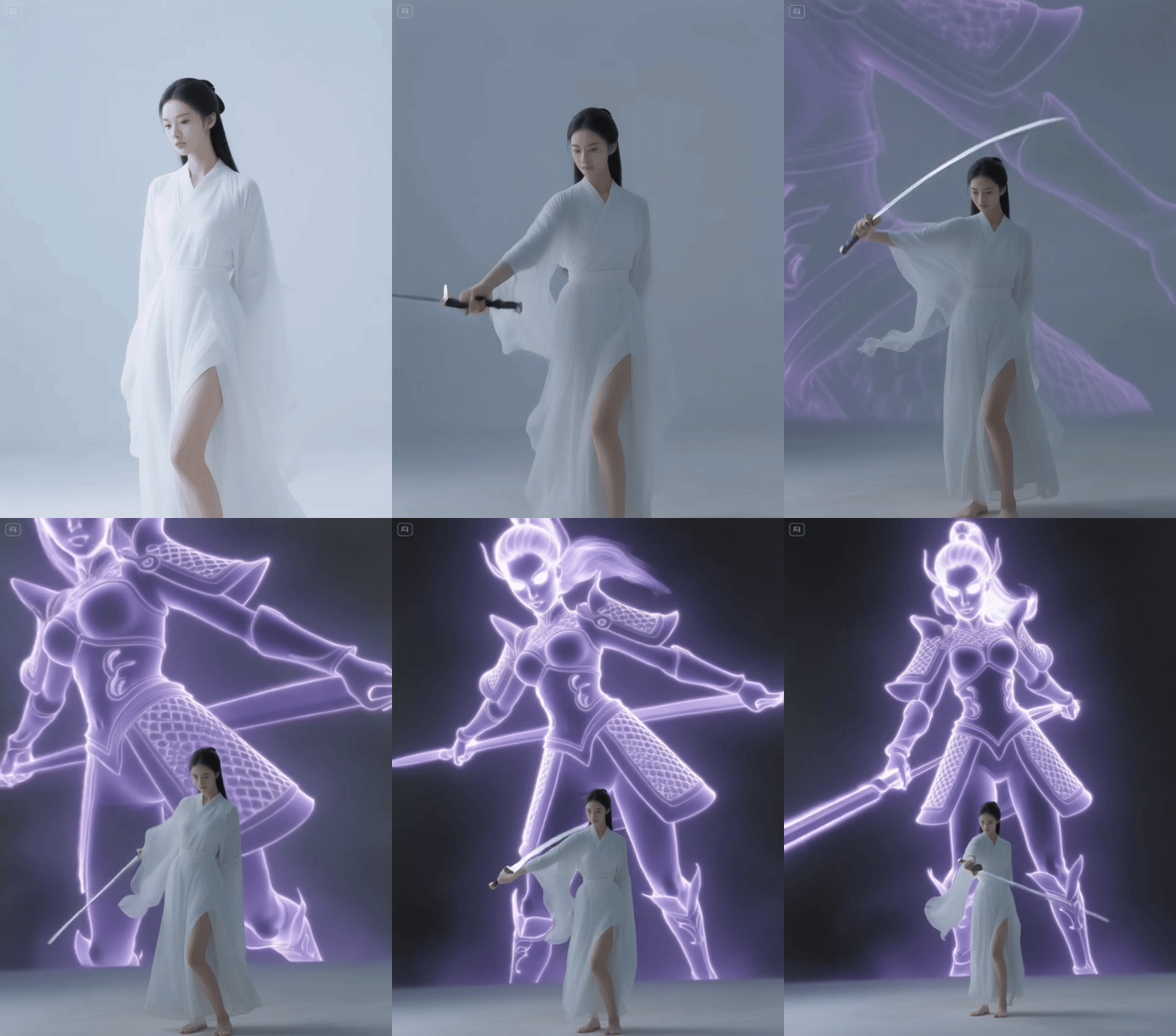
This workflow leverages the Wan2.1-I2V-14B model to generate dynamic videos with "Avatar Summoning" effects (e.g., semi-transparent phantom synchronized with character movements). It combines text prompts + input images and custom LoRAs (e.g., spell effects).
2. Core Models
Wan2.1-I2V-14B-480P_fp8_e4m3fn.safetensors
Main model for video generation (image-to-video). Requires BF16 precision.
umt5-xxl-enc-bf16.safetensors
T5 text encoder for processing complex prompts (supports Chinese).
Wan2.1_VAE_bf16.safetensors
Decodes latent frames to images.
3. Key Nodes
WanVideoModelLoader
Loads the main model. Manual download required (place in
ComfyUI/models/wan_video).
WanVideoTextEncode
Processes text prompts (positive/negative) using T5.
WanVideoSampler
Uses DPM++ SDE sampler (25 steps default).
WanVideoLoraSelect
Applies custom LoRAs (e.g.,
Avatar Summoning_beta).
VHS_VideoCombine
Renders frames into MP4 (16 FPS).
4. Workflow Structure
Input Group
Text prompts (e.g., "A woman swings a sword, summoning a purple phantom").
Reference image (e.g., "修仙女子.png").
Generation Group
Model initialization via
WanVideoModelLoaderandWanVideoVAELoader.Frame generation via
WanVideoSampler.
Output Group
Video synthesis with
VHS_VideoCombine(480x832 resolution).
5. Inputs & Outputs
Inputs: Text prompts, image, seed (e.g.,
1057359483639287).Outputs: MP4 video (H.264, with metadata).
6. Notes
Dependencies: Manually download Wan2.1 models and LoRAs.
VRAM: 16GB+ GPU recommended. Use BF16 to reduce usage.
Compatibility: Requires ComfyUI-WanVideoWrapper (install via ComfyUI Manager).
Troubleshooting:
FileNotFoundErrorif models are missing.Reduce resolution in
WanVideoBlockSwapfor CUDA OOM errors.