Unlock Real Human Video Generation with Seedance 2.0 in ComfyUI
Upload, Verify, Create—Consistent Real-Human Videos with Full Control
- Use Case
- Video
- Best For
- Video
- Reading Time
- 2 min
Workflow Overview
Upload, Verify, Create—Consistent Real-Human Videos with Full Control
Content type: Workflow
Primary intent: Download
Setup Notes
- Install the required models before opening the workflow template.
- Use the download button above to import the workflow JSON into ComfyUI.
We're thrilled to announce video production with actual individuals is now possible in Seedance 2.0. Provide a portrait photo, finish a single verification step, and produce clips maintaining uniform identity and natural facial movements.
Key Changes
Seedance 2.0 stands as ByteDance's newest video creation framework, engineered for professional-grade precision and inherent audiovisual alignment. Through Real Human integration in ComfyUI, virtual avatars no longer restrict your options—apply these capabilities to footage of actual persons, preserving consistent appearance and delivery across complete sequences.
Live actors with filmic control: Adjust camera motions, illumination, and scene transitions while sustaining subject authenticity.
Stable persona retention: Preserves facial traits and general look consistently during movement, camera operations, and scene shifts.
Built-in audiovisual synchronization: Creates video and sound (speech/ambience/music) simultaneously with enhanced lip coordination and expressions.
Multi-source direction: Blend text with up to 9 visuals, 3 clips, and 3 soundtracks to fix appearance, motion, and cadence.
Verification Mechanism in ComfyUI
The authentication system aims to prevent identity theft and unapproved usage of personal likeness. ByteDance manages this procedure, following evolving AI transparency guidelines.
Initial Setup (Verification Needed)
Submit a portrait image via the
ByteDance Create Image/Video Assetnode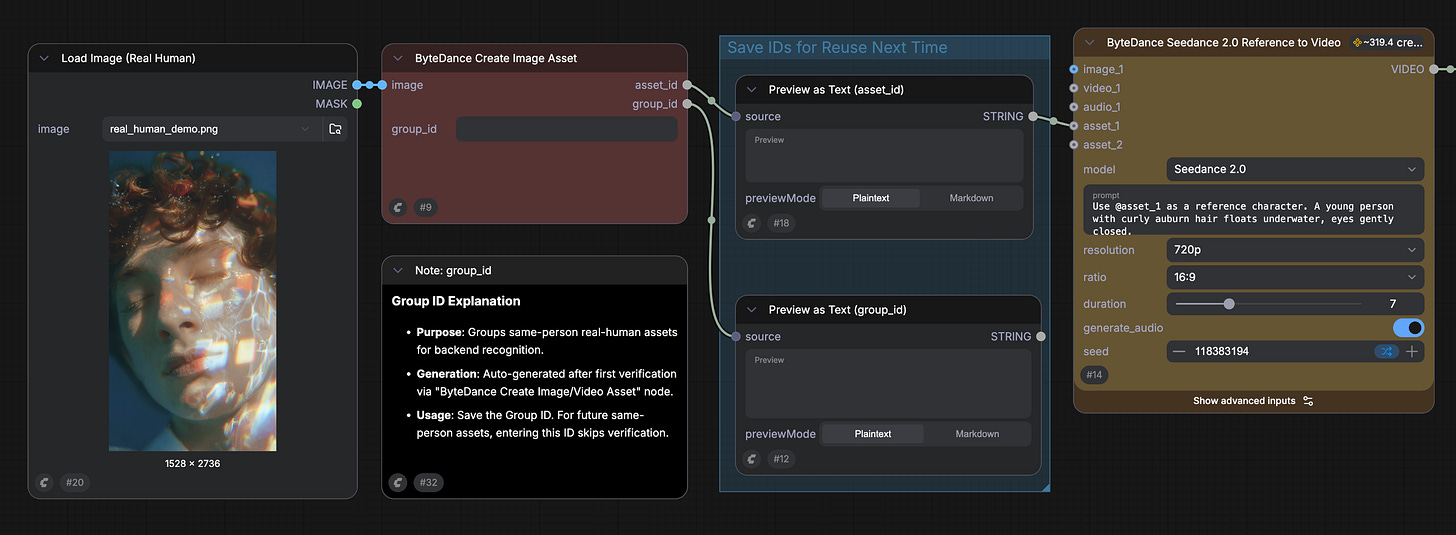
Execute the workflow to create a verification link
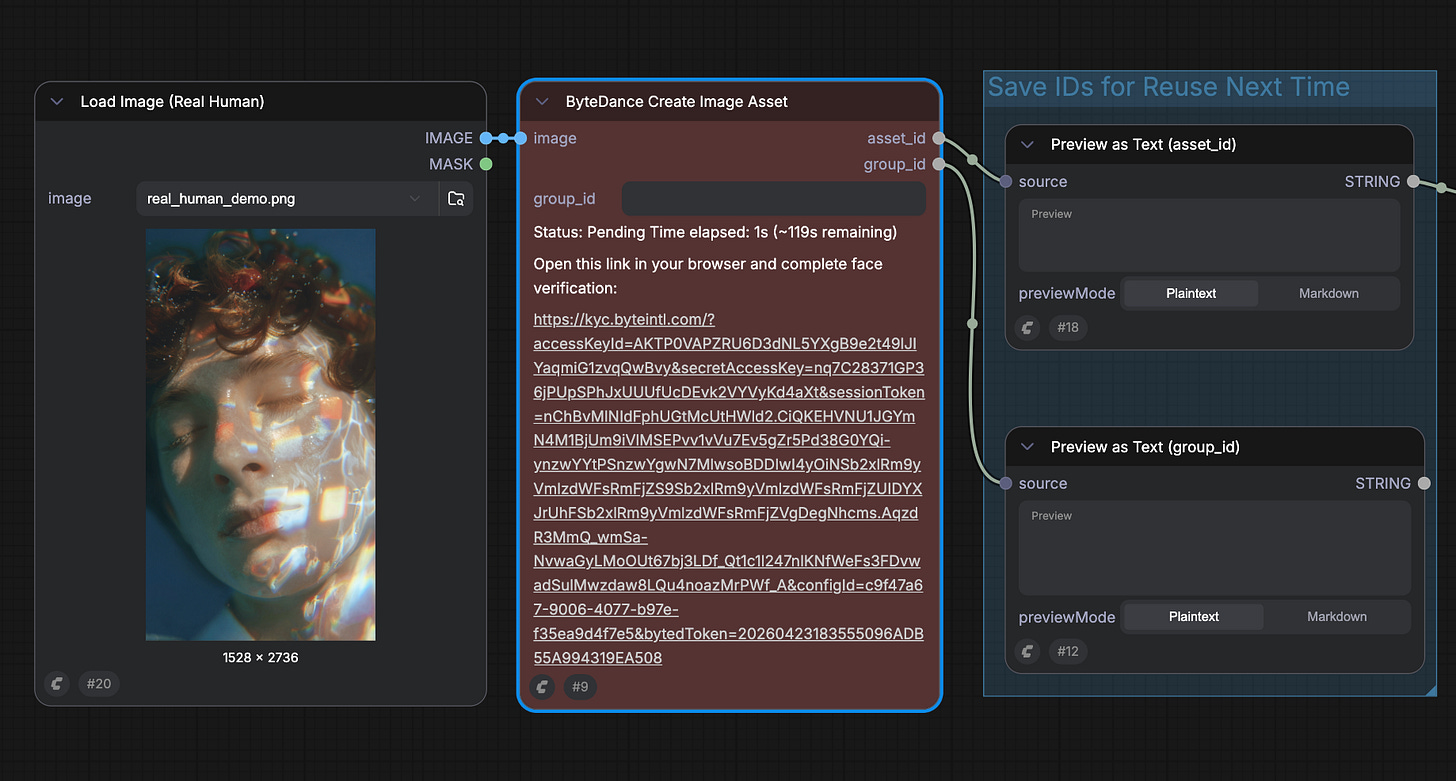
Access the link via your mobile device or browser and finish the liveness verification (under 30 seconds)
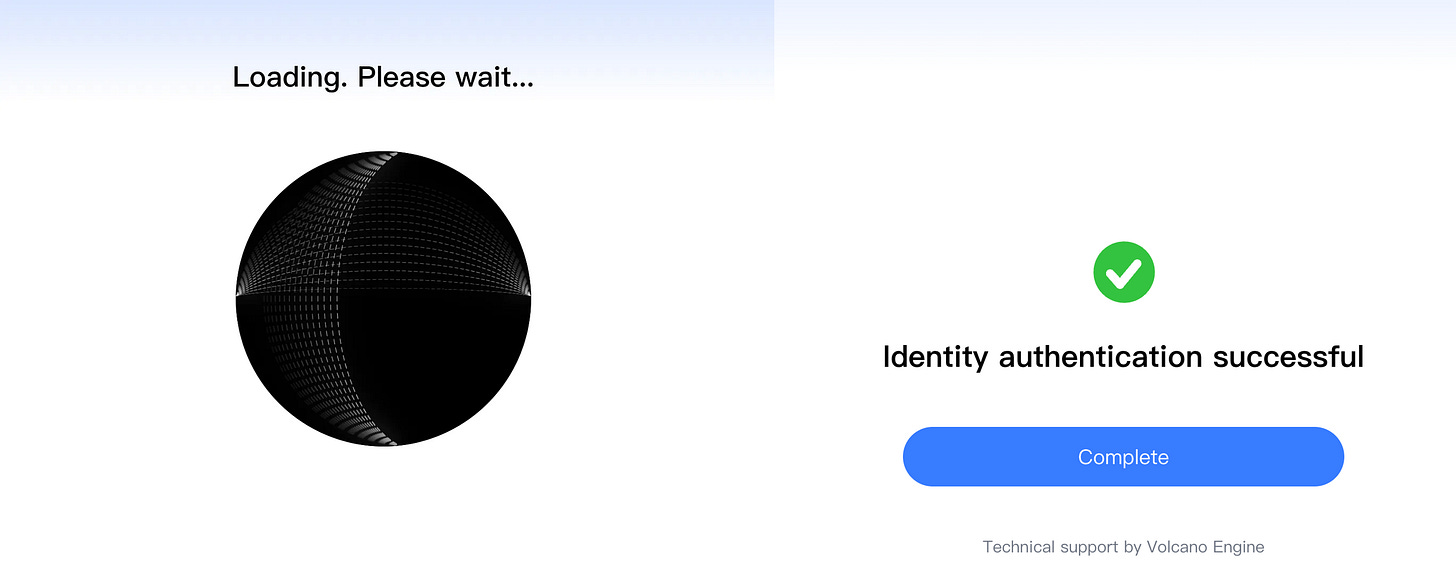
Real human authentication complete. You'll obtain two identifiers:
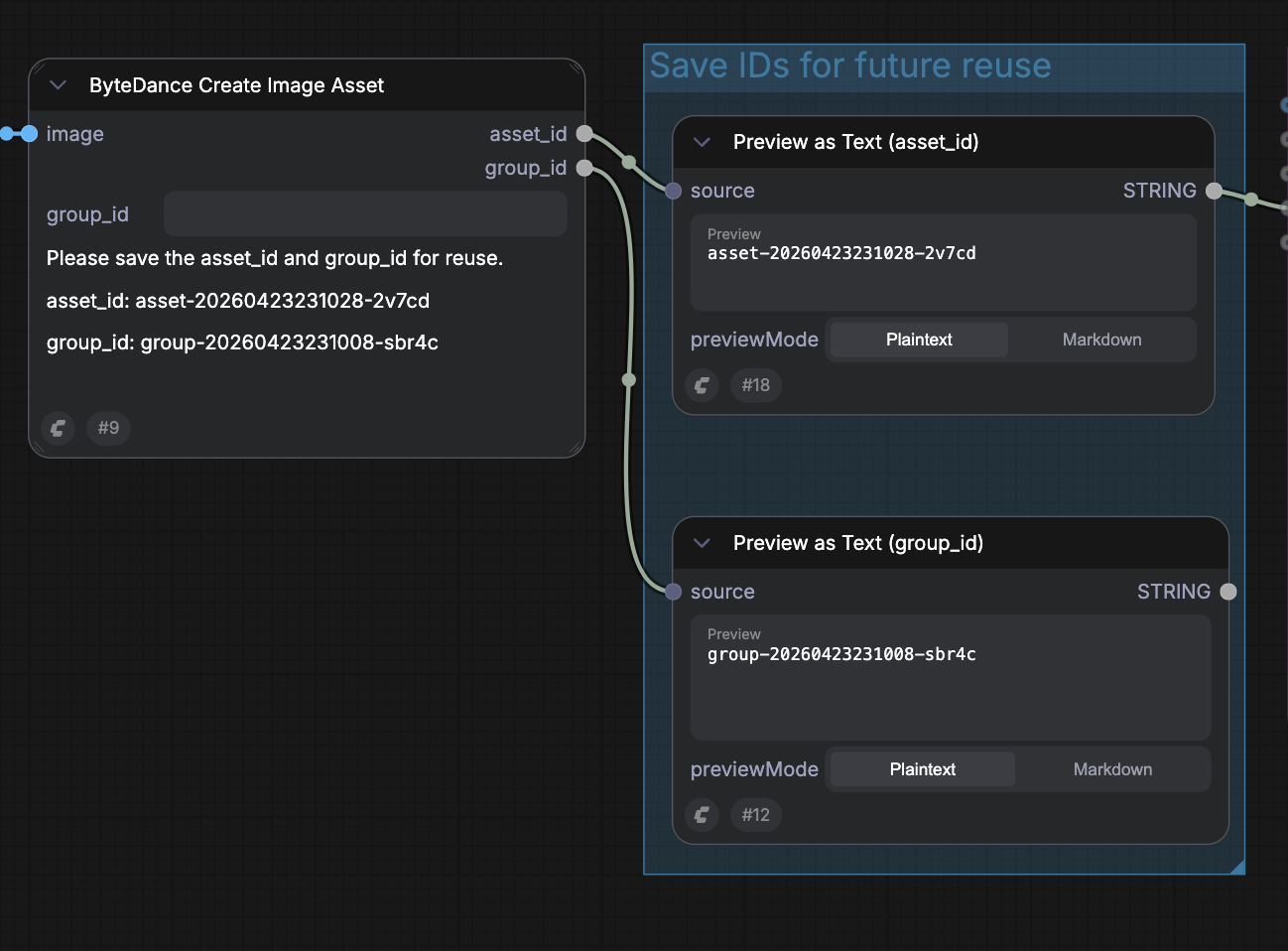
Group ID — signifies the authenticated individual (retain this)
Asset ID — denotes this particular image, prepared for video production (reusable)
Subsequent Images of Same Individual (Verification Exempt)
Provide a fresh photo or clip of the identical person
Input the stored Group ID into the
ByteDance Create Image/Video Assetnode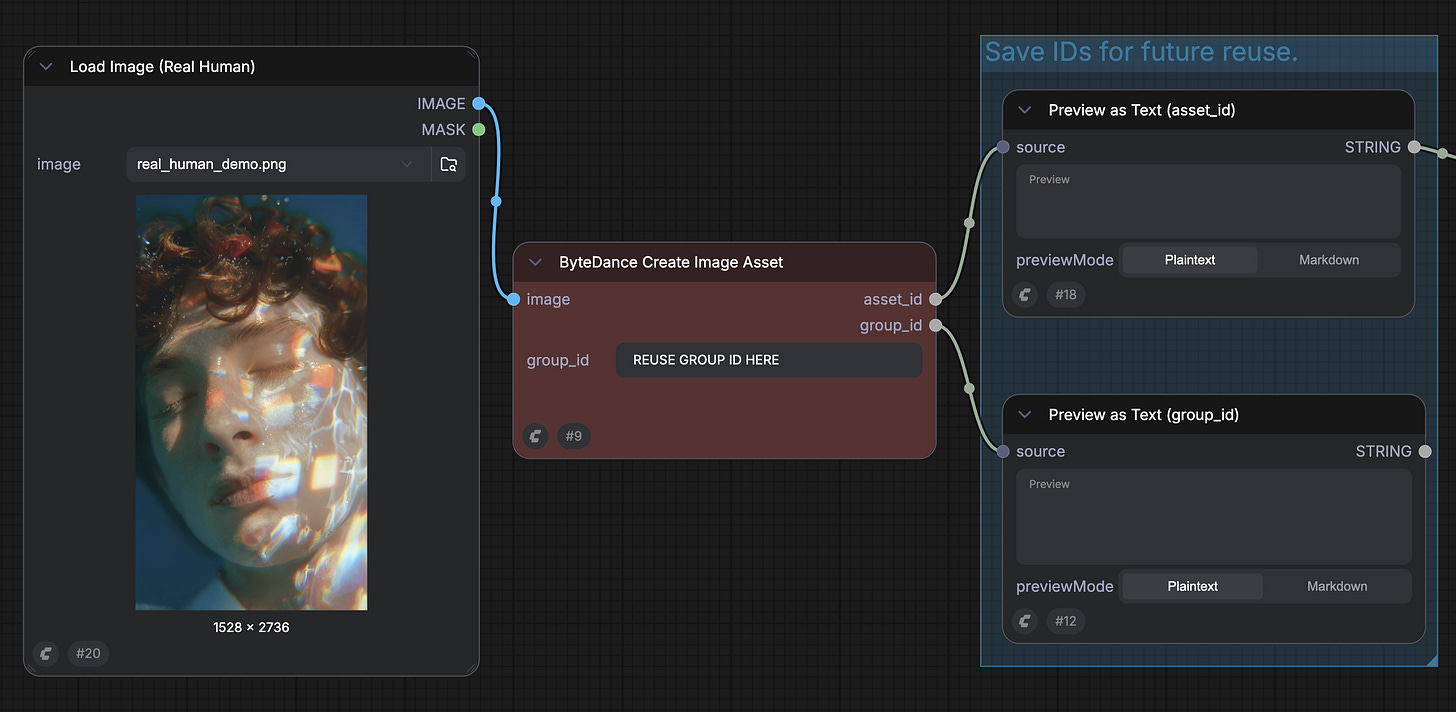
The framework checks facial characteristics against the initial authentication
Upon match confirmation, the new asset activates automatically
Begin Here
Upgrade ComfyUI to the most recent version, or access Comfy Cloud
Navigate to Template Library → locate Seedance 2.0 Real Human
Provide a portrait and finalize the one-time authentication
Preserve your Group ID for later applications
As per usual, happy creating!